Run your own AI assistant on Telegram, Zalo and WhatsApp with OpenClaw
How to self host OpenClaw on a VPS and talk to your own AI assistant from Telegram, Zalo or WhatsApp: requirements, setup, costs and security.
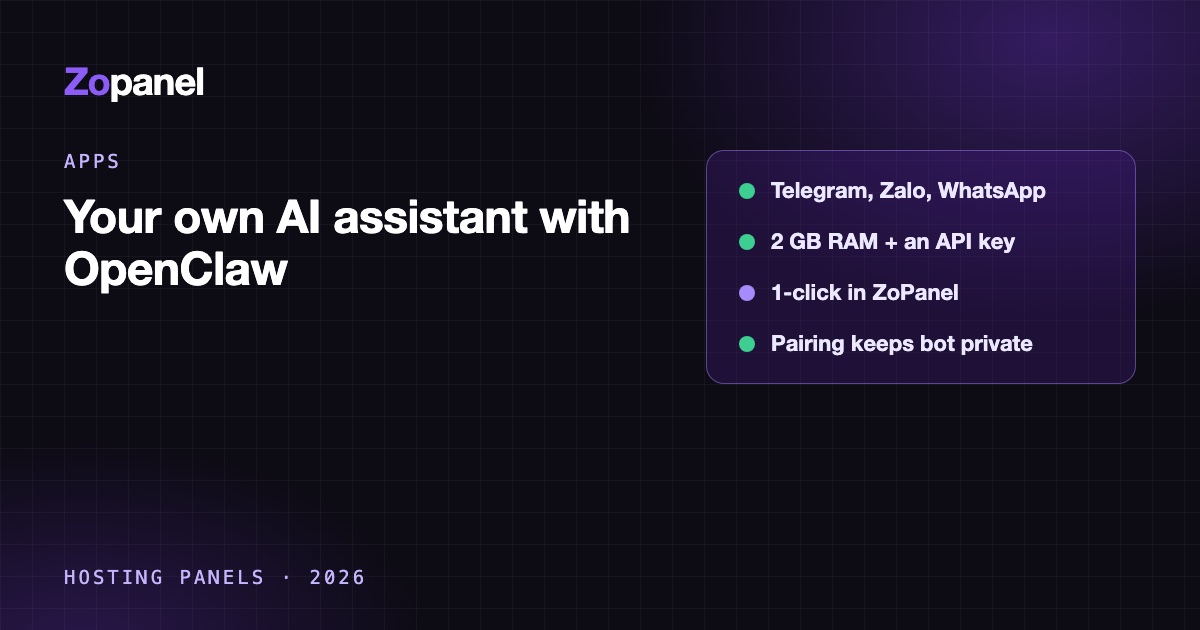
Key takeaways
- OpenClaw is an MIT-licensed, self-hosted gateway that connects a language model to chat apps such as Telegram, WhatsApp and Zalo.
- You need a VPS with about 2 GB of RAM free and an API key from a model provider such as Anthropic, OpenAI or DeepSeek.
- By default, unknown senders get a pairing code and are ignored until you approve them; keep that default.
- Your main running cost is API usage, which you can estimate from tokens per message and the provider's price per million tokens.
To self host OpenClaw, you need a Linux VPS with about 2 GB of RAM free, an API key from a model provider such as Anthropic, OpenAI or DeepSeek, and either the official installer or Docker. OpenClaw then connects that model to chat apps you already use, such as Telegram, WhatsApp and Zalo, so you can message your own AI assistant from your phone while conversations and settings stay on your server. On ZoPanel it is a one-click app: enter a domain and a key, then approve your browser in the panel.
This guide explains what OpenClaw is, what it costs to run, how to install it by hand or from ZoPanel's App Store, how to connect Telegram, Zalo and WhatsApp, and which security settings to keep.
What OpenClaw is
OpenClaw is an open-source AI assistant that you run yourself. Its website says the whole product is MIT licensed and stewarded by the OpenClaw Foundation, a US non-profit; the code is on GitHub. It is not a model. It is a gateway: it holds your API keys, sessions, memory and channel connections, sends your messages to the model provider you choose, and posts the replies back into the chat app.
It also has a web Control UI where you chat, manage sessions, agents and channels, and change the default model.
Which chat apps it supports
The channels page in the official docs lists a long set of channels. The ones most readers ask about:
| Channel | How it connects | Notes |
|---|---|---|
| Telegram | Bot token from @BotFather | Bundled; the docs call it the quickest channel to set up |
| Links as a WhatsApp Web device by QR code | Official plugin; keeps a session on disk | |
| Zalo | Bot token from the Zalo Bot Platform | Official plugin, marked experimental |
| Discord, Slack, Signal, Microsoft Teams, LINE, Matrix and others | Varies | See the channels page |
For Zalo, the docs cover bots created on the Zalo Bot Platform and say Zalo Official Account bots may behave differently. The Zalo channel has limits worth knowing: replies are split into 2,000-character chunks, media is capped at 5 MB by default, and reactions, threads and polls are not supported. In groups, the bot answers only when mentioned. The channels page also lists a separate "Zalo personal" plugin; a bot account is the cleaner choice, because it does not tie the assistant to your own Zalo login.
What you need
| Item | What to plan for |
|---|---|
| Server | A Linux VPS. ZoPanel gives the app a 2048 MB memory limit and 1 CPU, and needs about 5.8 GB free disk to install (the image is about 3.3 GB) |
| Model access | At least one API key (Anthropic, OpenAI or DeepSeek in the ZoPanel dialog). You pay the provider directly |
| Domain | A subdomain such as claw.example.com if you want the Control UI on HTTPS |
| Chat accounts | A Telegram bot, a Zalo bot or a WhatsApp number to link |
Note that OpenClaw talks to the model over the internet. It does not run a model on your VPS, which is why 2 GB is enough. Building the Docker image from source is different: the Docker docs say a local build needs at least 6 GB of RAM, while the pre-built image skips that step.
Option 1: self host OpenClaw by hand
The install docs give a one-line installer for Linux that also installs Node.js (24.16+ or 26.1+) if it is missing and then runs onboarding:
curl -fsSL https://openclaw.ai/install.sh | bash
Onboarding asks for your provider keys and creates the gateway token. With the npm route, openclaw onboard --install-daemon sets it up as a systemd user service so it starts on boot.
There is also a Docker route: clone the repository and run ./scripts/docker/setup.sh, which runs onboarding, writes the gateway token to .env and starts the gateway with Docker Compose. You can use the pre-built image ghcr.io/openclaw/openclaw by setting OPENCLAW_IMAGE first.
The Control UI listens on http://127.0.0.1:18789/ by default. On a VPS, the simplest safe way to reach it is an SSH tunnel from your computer:
ssh -N -L 18789:127.0.0.1:18789 you@your-vps
Then open http://127.0.0.1:18789/ locally and paste the gateway token. If you want it on a real domain instead, you need a reverse proxy with HTTPS, the gateway's trusted proxies and allowed origins set to match, and a check of your firewall: OpenClaw's security docs warn that container images default to an exposed bind, and the Docker docs point to the DOCKER-USER firewall chain on a public host. Our Open WebUI guide shows why published Docker ports can bypass UFW and how to bind them to 127.0.0.1.
Option 2: the 1-click route in ZoPanel
ZoPanel's App Store installs OpenClaw in its own container, behind the website's nginx with Let's Encrypt SSL, and sets the proxy settings for you. These are the steps from the OpenClaw app guide:
- Install Docker if you have not yet (App Store → Install Docker), and point the domain's A record to the server.
- Open App Store and click Install on the OpenClaw card.
- Fill in Domain (for example
claw.example.com), and at least one of Anthropic API key, OpenAI API key or DeepSeek API key. Leave Free SSL (Let's Encrypt) on. Administrators also pick the Owner account. An install with no key is refused. - Click Install and follow the task log.
ZoPanel generates a random 32-character OPENCLAW_GATEWAY_TOKEN, publishes the gateway port on 127.0.0.1 only, and writes gateway.trustedProxies and gateway.controlUi.allowedOrigins for your domain each time the app starts.
Sign in and approve your browser
OpenClaw has no setup lock, so the domain is public as soon as it is installed. It is protected by the token and by device pairing:
- Open Websites, choose the domain and go to the Docker tab.
- Under Login details, copy
OPENCLAW_GATEWAY_TOKEN. - Open
https://<your domain>, paste the token into Gateway secret and click Connect. - OpenClaw asks for this browser to be approved. Back on the Docker tab, the Browsers card lists it under Waiting for approval with its platform, IP address and time.
- Click Approve, and the Control UI opens. Click Reject for any request you do not recognise.
Every new browser or device goes through the same approval, so you approve your phone's browser the same way. Approved devices are listed under Approved.
Connect Telegram, Zalo and WhatsApp
Channels are set in Settings → Channels in the Control UI, or with the CLI in its operator terminal.
- Telegram: chat with @BotFather, run
/newbot, copy the token, add it under Settings → Channels → Telegram. Send your bot a message, then approve the pairing code in the operator terminal withopenclaw pairing approve telegram <CODE>. Codes expire after one hour. - Zalo: create a bot at bot.zaloplatforms.com, set its token in Settings → Channels, and approve the first message's code with
openclaw pairing approve zalo <CODE>. - WhatsApp: start the login under Settings → Channels → WhatsApp and scan the QR code from Linked devices on your phone.
Telegram's default long polling only makes outgoing connections, so it works behind ZoPanel without extra settings.
Limits of the ZoPanel version
Be aware of these trade-offs before you choose it:
- The container is cut off from the server's loopback and private networks, so a local model server (Ollama, LM Studio, vLLM) cannot be used; providers must be public APIs.
- Tools that browse or run commands reach the public internet only, not your databases or private network.
- API keys cannot be edited from the panel after installation; add another key inside OpenClaw instead.
- New OpenClaw releases arrive with ZoPanel updates, not the day they are published upstream.
- App data is not in normal website backups. Use Back up now on the app's Backups card, and copy archives off the server encrypted, since they contain your keys and bot tokens.
For the other AI apps and their memory limits, see App Store apps, and for how ZoPanel isolates containers in general, running Docker apps on a VPS.
What it costs
There are two costs: the server and the model.
The server. OpenClaw needs about 2 GB of RAM for itself, so a VPS with 4 GB is comfortable if it also hosts websites. If you already run a VPS with spare memory, the extra cost can be zero.
The model. You pay the provider per token, for both what you send (your message plus the conversation context and the assistant's instructions) and what it writes back. To estimate:
- Messages per day × average input tokens per message = input tokens per day.
- Messages per day × average output tokens = output tokens per day.
- Multiply each by the provider's price per million tokens.
As an illustration only, at the time of writing (October 2026) Anthropic's pricing page lists Claude Sonnet 5.5 at USD 2 per million input tokens and USD 10 per million output tokens, and Claude Haiku 5.5 at USD 0.10 and USD 0.50 for prompts up to 100,000 tokens. If you assumed 50 messages a day with 5,000 input and 500 output tokens each:
| Model | Input per day | Output per day | About per month (30 days) |
|---|---|---|---|
| Claude Sonnet 5.5 | 250,000 tokens = USD 0.50 | 25,000 tokens = USD 0.25 | USD 22.50 |
| Claude Haiku 5.5 | 250,000 tokens = USD 0.025 | 25,000 tokens = USD 0.0125 | USD 1.13 |
These are assumptions, not measurements. An agent's context grows with conversation history and tools, and automations use tokens without you typing anything. Run it for a week, read the real token counts in your provider's usage dashboard, and set a spending limit there.
Security notes
An assistant that holds your API key and answers on public chat apps needs a few rules.
- Keep the pairing default. OpenClaw's default DM policy for Zalo and Telegram is
pairing: unknown senders get a code and are ignored until you approve it. Do not switch toopenunless you want strangers spending your API credit. For a fixed group of people, use an allowlist. - Guard the gateway token. Anyone with it can request access, and an approved browser can control the assistant and use your keys. Reject devices you do not recognise.
- One trust boundary per gateway. The security docs advise a separate gateway for people who do not trust each other. Do not share one assistant between unrelated customers.
- Watch prompt injection. Messages, web pages and files can contain instructions aimed at the model. Keep bypass flags off and give tools only the permissions they need.
- Limit spending at the provider, and rotate a key at once if you suspect it leaked.
- Run the audit.
openclaw security auditchecks for drift from the safe defaults.
On a ZoPanel server, the app also runs with Docker user namespaces and network limits, and the panel itself supports two-factor login and an IP allowlist (security docs).
Conclusion
OpenClaw turns a model API key into an assistant you can message from Telegram, Zalo or WhatsApp, with the data on your own VPS. By hand, plan for Node.js or Docker, an SSH tunnel or a reverse proxy, and careful firewall rules. With ZoPanel, it is a domain, a key and one approval click, at the cost of no local models and updates that follow ZoPanel's releases.
To try it, install ZoPanel with curl -fsSL https://get.zopanel.net | sudo bash. The Free plan includes the App Store, with 3 hosting accounts and 10 websites and no time limit.
Frequently asked questions
Is OpenClaw free?
The software is open source under the MIT licence, so it costs nothing to run. You pay for the server and for the model provider's API usage, which depends on how much you use it.
Does OpenClaw work with Zalo?
Yes. OpenClaw has an official Zalo channel for bots created on the Zalo Bot Platform, but the docs mark it experimental. It supports direct messages and groups (the bot answers when mentioned), with limits such as 2,000-character message chunks and no reactions or polls.
How much RAM does OpenClaw need?
ZoPanel runs it with a 2048 MB limit, and its install dialog warns that it needs about 2 GB or more. That covers the gateway only, because the model runs at the provider. Building the Docker image from source needs at least 6 GB, so use the pre-built image on a small VPS.
Can I use a local model like Ollama instead of an API key?
OpenClaw itself supports Ollama, but the ZoPanel app cannot reach local or private-network model servers by design; it needs a public API. If you want local models, install OpenClaw by hand on a machine that has the memory and ideally a GPU for the model.
Can other people talk to my bot?
Only if you let them. By default, a new sender on Telegram or Zalo receives a pairing code and is ignored until you approve it with openclaw pairing approve. Approve only people you know, and remember that every message they send uses your API key.
Install ZoPanel free
One command on a fresh Ubuntu or Debian server. Up and running in minutes.
Install in 5 minutesKeep reading
How to self-host Flowise on a VPS in 2026, and what its sunset means
Self-host Flowise on a VPS with Docker and HTTPS, protect API keys, back up flows, and understand the project's August 2026 end of life before you build on it.
How to self-host n8n on a VPS with Docker, HTTPS and backups
Self-host n8n on a VPS with Docker behind nginx and HTTPS, correct webhook URLs, workflow backups and safe updates, or install it in one click with ZoPanel.
Self-host Open WebUI on a VPS: your own private ChatGPT
Self-host Open WebUI on a VPS as a private ChatGPT: Docker, nginx, HTTPS, OpenAI-compatible APIs or Ollama, safe defaults, by hand or with ZoPanel.