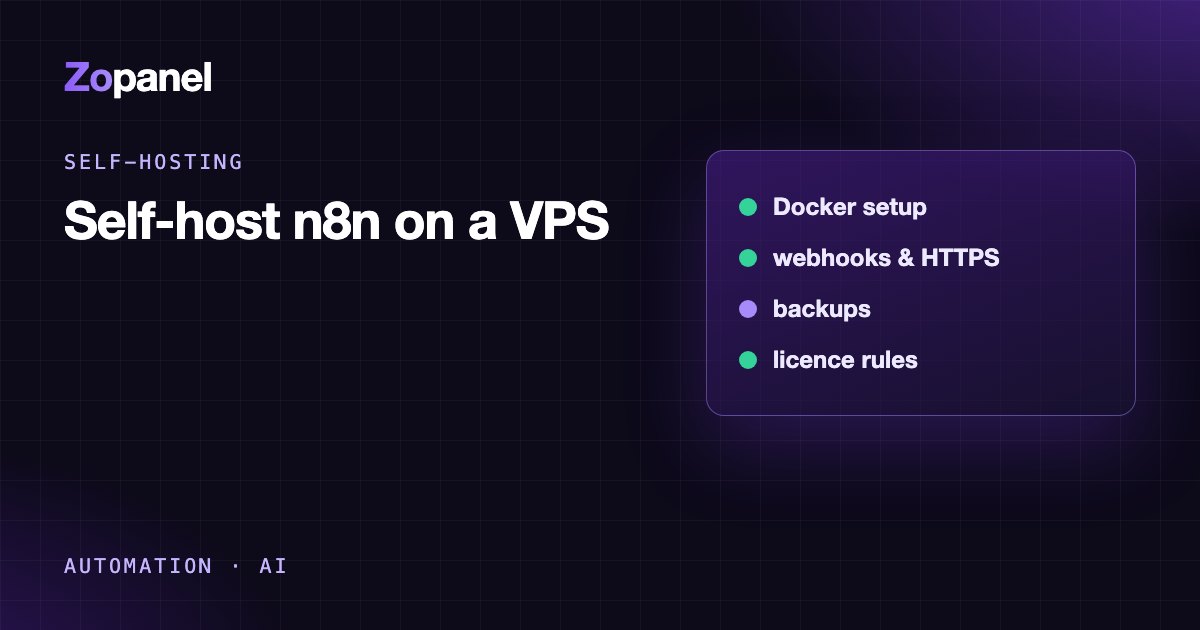
How to self-host n8n on a VPS with Docker, HTTPS and backups
Self-host n8n on a VPS with Docker behind nginx and HTTPS, correct webhook URLs, workflow backups and safe updates, or install it in one click with ZoPanel.
Key takeaways
- n8n runs well in Docker with one volume holding its data at /home/node/.n8n.
- Publish port 5678 on 127.0.0.1 only and reach it through an HTTPS reverse proxy.
- Set WEBHOOK_URL to your domain, or webhooks will show the wrong address.
- Back up the encryption key in the .n8n folder as well as your workflows, or credentials cannot be restored.
The cleanest and safest way to self-host n8n is to run the official n8nio/n8n Docker image with a persistent volume, publish port 5678 on 127.0.0.1 only, and put nginx in front as an HTTPS reverse proxy for a subdomain such as n8n.example.com, with N8N_HOST, N8N_PROTOCOL=https and WEBHOOK_URL set. A VPS with 2 GB of RAM is enough to start with typical workflows. If the VPS already runs ZoPanel, n8n installs in one click from the App Store and gets SSL automatically.
This guide covers both routes: by hand, command by command, on Ubuntu or Debian, and with ZoPanel. It also covers what tutorials tend to skip: n8n's licence, backups that actually restore your credentials, safe updates and keeping the instance secure.
Why self-host n8n?
n8n is a visual workflow builder (like Zapier or Make) that connects hundreds of services: when a new order arrives, send a Telegram message, update Google Sheets, call an API, or run an AI Agent backed by OpenAI or Anthropic models.
Reasons to host it yourself:
- No per-execution pricing. At the time of writing (October 2026), n8n Cloud plans are priced by monthly workflow executions; Starter is €20 a month (billed annually) for 2,500 executions. Self-hosted, your limit is your server. Check n8n's pricing page for current figures.
- Your data stays on your server, including the tokens and passwords of every service you connect.
- Full control: time zone, how long execution history is kept, access to private networks.
A note on the licence
n8n is not open source in the OSI sense; the community edition is released under the Sustainable Use License. According to n8n's License FAQ, you may use it to run your own business, for personal projects, and you may charge clients for building, setting up and maintaining workflows. You may not host n8n as a service where your clients build their own workflows. If you are a hosting company thinking of selling "n8n for customers", read the licence carefully or ask n8n first.
What size of VPS do you need to self-host n8n?
n8n is not CPU-hungry, but memory grows with your workflows: large files, many concurrent executions or heavy Code nodes all need more.
- n8n alone: 2 GB of RAM and 1 to 2 vCPUs is a sensible start (about 1 GB for n8n, the rest for the system and the reverse proxy).
- n8n alongside websites and databases: 4 GB of RAM or more.
- Disk: execution history lives in the database (SQLite in the volume by default), so leave a few GB spare and prune old executions if you run a lot.
You also need a subdomain (for example n8n.example.com) with an A record pointing to the VPS. If you have not done that yet, see how to point a domain to a VPS.
Option 1: Self-host n8n with ZoPanel (one click)
If your VPS runs ZoPanel, n8n is in the App Store:
- Install Docker if it is not there yet: App Store → Install Docker (or Components → Docker).
- Open App Store and choose n8n.
- Enter the domain, for example
n8n.example.com. Administrators also choose the hosting account that owns the app. - Click Install. The task log shows the image download and start.
- Point the domain's A record to the server if you have not already. SSL follows automatically.
First-time setup. With n8n, the first person to open the domain creates the owner account, so ZoPanel keeps a new app private after installing it: visitors see "This app is being set up". On the website's Docker tab, click Open the app (only for me), fill in the owner form (email, name, password), then click Setup finished — open to everyone. n8n takes from about half a minute to two minutes to start the first time. Webhook URLs already use your domain with HTTPS.
Day to day, the Docker tab shows status, memory and logs; administrators also get restart and Update to latest (pulls the new image and keeps your data). Customers on a hosting account ask their provider to update.
What ZoPanel sets up for you (from the App Store documentation):
- n8n runs with a 1024 MB memory limit and 1 CPU; its data lives in a folder only root and the container can read.
- The container uses user namespaces and publishes its port on
127.0.0.1only; outside access goes through nginx with SSL. - Containers are cut off from the server's internal network and from each other. On the server itself they reach only the ports the internet can reach (web, mail, DNS), not the database, Redis or the panel. That means n8n workflows cannot query the MariaDB databases of sites on the same server directly; use the application's API or an external database instead. In return, an abused workflow cannot touch other customers' data.
- For hosting companies: customers can install n8n themselves when their package allows it, under Packages → Docker apps; the app's memory counts toward the package's RAM.
See also the n8n entry in What each app does.
Option 2: Self-host n8n by hand with Docker Compose
This route is for a VPS without a control panel, running Ubuntu 24.04 or Debian 12. If a panel already manages nginx on the server, do not edit nginx by hand; use the panel's features instead.
Step 1: Install Docker from the official repository
Follow Docker's official Engine install guide rather than a random script. On Ubuntu:
sudo apt update
sudo apt install ca-certificates curl
sudo install -m 0755 -d /etc/apt/keyrings
sudo curl -fsSL https://download.docker.com/linux/ubuntu/gpg -o /etc/apt/keyrings/docker.asc
sudo chmod a+r /etc/apt/keyrings/docker.asc

sudo tee /etc/apt/sources.list.d/docker.sources <<EOF
Types: deb
URIs: https://download.docker.com/linux/ubuntu
Suites: $(. /etc/os-release && echo "${UBUNTU_CODENAME:-$VERSION_CODENAME}")
Components: stable
Architectures: $(dpkg --print-architecture)
Signed-By: /etc/apt/keyrings/docker.asc
EOF

sudo apt update
sudo apt install docker-ce docker-ce-cli containerd.io docker-buildx-plugin docker-compose-plugin
On Debian, replace ubuntu with debian in both URLs and use VERSION_CODENAME.
Step 2: Create the Docker Compose file
sudo mkdir -p /opt/n8n && cd /opt/n8n
sudo nano compose.yaml
Contents (change the domain and time zone, and replace latest with a specific version in production):
services:
  n8n:
    image: n8nio/n8n:latest
    restart: unless-stopped
    ports:
      - "127.0.0.1:5678:5678"
    mem_limit: 1g
    environment:
      - N8N_HOST=n8n.example.com
      - N8N_PORT=5678
      - N8N_PROTOCOL=https
      - NODE_ENV=production
      - WEBHOOK_URL=https://n8n.example.com/
      - GENERIC_TIMEZONE=Europe/London
      - TZ=Europe/London
      - N8N_ENFORCE_SETTINGS_FILE_PERMISSIONS=true
    volumes:
      - n8n_data:/home/node/.n8n

volumes:
  n8n_data:
What matters here, following n8n's Docker Compose documentation:
127.0.0.1:5678:5678publishes the port on localhost only. With plain5678:5678, Docker exposes the port to the internet and bypasses your UFW rules, because Docker inserts its own iptables rules. This is the most common self-hosting mistake.WEBHOOK_URL: behind a proxy, n8n cannot work out its public address. Without this, webhook URLs in the editor showhttp://localhost:5678/…and outside services cannot call them.GENERIC_TIMEZONEsets the time zone for the Schedule Trigger node. Get it wrong and your "8 a.m." workflow runs at the wrong hour.- The
/home/node/.n8nvolume holds the SQLite database and the key that encrypts your credentials. Lose the volume and you lose everything.
Start it:
sudo docker compose up -d
sudo docker compose logs -f n8n
Step 3: nginx and HTTPS
sudo apt install nginx certbot python3-certbot-nginx
sudo nano /etc/nginx/sites-available/n8n.conf
server {
    listen 80;
    server_name n8n.example.com;

    location / {
        proxy_pass http://127.0.0.1:5678;
        proxy_http_version 1.1;
        proxy_set_header Upgrade $http_upgrade;
        proxy_set_header Connection "upgrade";
        proxy_set_header Host $host;
        proxy_set_header X-Real-IP $remote_addr;
        proxy_set_header X-Forwarded-For $proxy_add_x_forwarded_for;
        proxy_set_header X-Forwarded-Proto $scheme;
        proxy_buffering off;
        proxy_read_timeout 3600s;
    }
}
The Upgrade and Connection lines are needed for the WebSocket the n8n editor uses; without them the editor keeps reporting a lost connection.
sudo ln -s /etc/nginx/sites-available/n8n.conf /etc/nginx/sites-enabled/
sudo nginx -t && sudo systemctl reload nginx
sudo certbot --nginx -d n8n.example.com
Certbot obtains a Let's Encrypt certificate, adds the HTTPS block and redirects HTTP to HTTPS. The A record must point to the VPS and port 80 must be open before you run it.
Step 4: Firewall
If you use UFW, allow SSH first, then enable it, so you do not lock yourself out:
sudo ufw allow OpenSSH
sudo ufw allow 'Nginx Full'
sudo ufw enable
Open https://n8n.example.com and create the owner account straight away: the first visitor becomes the owner.
Securing your n8n instance
n8n holds the tokens and passwords for every service you connect, which makes it a valuable target:
- Create the owner account right after installing, with a strong password, and turn on two-factor authentication under Settings → Personal in n8n.
- Never expose port 5678 to the internet; go through HTTPS only.
- Update regularly: n8n is a web application with many integration nodes, and security fixes ship often.
- Be careful with the Code and Execute Command nodes when several people share an instance.
- Webhooks are public entry points: protect important ones with header authentication or a secret in the path.
General rules for running Docker on a VPS are in how to secure an Ubuntu VPS.
Backing up and restoring n8n
Do both of these:
1. Export workflows and credentials regularly with n8n's CLI:
sudo docker compose exec -u node n8n n8n export:workflow --backup --output=/home/node/.n8n/backups/workflows/
sudo docker compose exec -u node n8n n8n export:credentials --backup --output=/home/node/.n8n/backups/credentials/
Credentials are exported encrypted, so they can only be restored with the same encryption key.
2. Back up the whole volume (database and encryption key) off the server:
sudo docker compose stop n8n
sudo docker run --rm -v n8n_n8n_data:/data -v /root:/backup alpine \
  tar czf /backup/n8n-data-$(date +%F).tar.gz -C /data .
sudo docker compose start n8n
The actual volume name is prefixed with the project folder name (here n8n_n8n_data); check it with sudo docker volume ls. Then copy the .tar.gz somewhere else (S3, another machine). A backup that lives only on the same VPS disappears with it.
Updating n8n safely
- Back up as above.
- Read the release notes, especially for a major version (for example 1.x to 2.x), which can include breaking changes.
- Change the version in
compose.yaml, then:
cd /opt/n8n
sudo docker compose pull
sudo docker compose up -d
Pinning a specific version instead of latest tells you exactly what you run and lets you roll back if something breaks. On ZoPanel, Update to latest on the Docker tab pulls the image and restarts the app with your data kept.
Common problems when you self-host n8n
| Symptom | Cause | Fix |
|---|---|---|
Webhook URLs show localhost:5678 |
WEBHOOK_URL not set |
Set WEBHOOK_URL=https://your-domain/ and restart |
| Editor says "Connection lost" | Proxy not passing WebSockets | Add Upgrade and Connection headers in nginx |
| Scheduled workflows run at the wrong time | Wrong GENERIC_TIMEZONE |
Set your time zone, for example America/New_York |
| Container keeps restarting, logs show out of memory | Workflows handling large data exceed the limit | Raise the limit, split the data, run fewer workflows in parallel |
| Port 5678 reachable from outside | 5678:5678 instead of 127.0.0.1:5678:5678 |
Fix the compose file and run docker compose up -d |
| Credentials fail after moving servers | Encryption key in .n8n was lost |
Restore the whole old volume, not just the workflows |
Conclusion
Self-hosting n8n is not hard: Docker, one volume, an HTTPS reverse proxy and three correct environment variables. What decides success is operations: no stray open ports, backups that include the encryption key, and regular updates. If you would rather not configure nginx, SSL and container isolation yourself, ZoPanel installs n8n in one click with resource limits and network isolation in place, and the App Store is included in the Free plan. Install on a fresh server with:
curl -fsSL https://get.zopanel.net | sudo bash
See pricing and the installation guide.
Frequently asked questions
Is self-hosting n8n free?
The community edition can be self-hosted without a licence fee under the Sustainable Use License, for internal business and personal use. You pay only for the VPS. Some advanced features, such as SSO, need a paid n8n licence.
How much RAM does n8n need?
For typical workflows, a 2 GB VPS is a sensible start, with n8n using about 1 GB. If you process large files, run many workflows in parallel or share the server with websites, use 4 GB or more.
Should I use SQLite or PostgreSQL with n8n?
The default SQLite is fine for a personal or small-team instance. With high execution volumes, move to PostgreSQL, especially if you want to scale out with several workers (queue mode). Whatever the database, keep the .n8n volume, because it holds the encryption key.
Can I offer n8n to my hosting customers?
You can build workflows for clients and charge for that work. Under n8n's licence, however, you may not host n8n as a service where clients create or edit their own workflows. Read n8n's License FAQ before putting it in a product.
How do I send email from n8n?
Use the Send Email node with a mailbox's SMTP details, for example a domain mailbox on your own server over port 587. On ZoPanel, containers may reach the server's mail ports, so a mailbox created in the panel works.
Install ZoPanel free
One command on a fresh Ubuntu or Debian server. Up and running in minutes.
Install in 5 minutesKeep reading
How to self-host Flowise on a VPS in 2026, and what its sunset means
Self-host Flowise on a VPS with Docker and HTTPS, protect API keys, back up flows, and understand the project's August 2026 end of life before you build on it.
Self-host Open WebUI on a VPS: your own private ChatGPT
Self-host Open WebUI on a VPS as a private ChatGPT: Docker, nginx, HTTPS, OpenAI-compatible APIs or Ollama, safe defaults, by hand or with ZoPanel.
How to run Docker apps securely on a VPS: 9 things to get right
Run Docker apps securely on a VPS - localhost-only ports, user namespaces, memory limits, network isolation and SSL - with sample configs and the ZoPanel way.