How to self-host Flowise on a VPS in 2026, and what its sunset means
Self-host Flowise on a VPS with Docker and HTTPS, protect API keys, back up flows, and understand the project's August 2026 end of life before you build on it.
Key takeaways
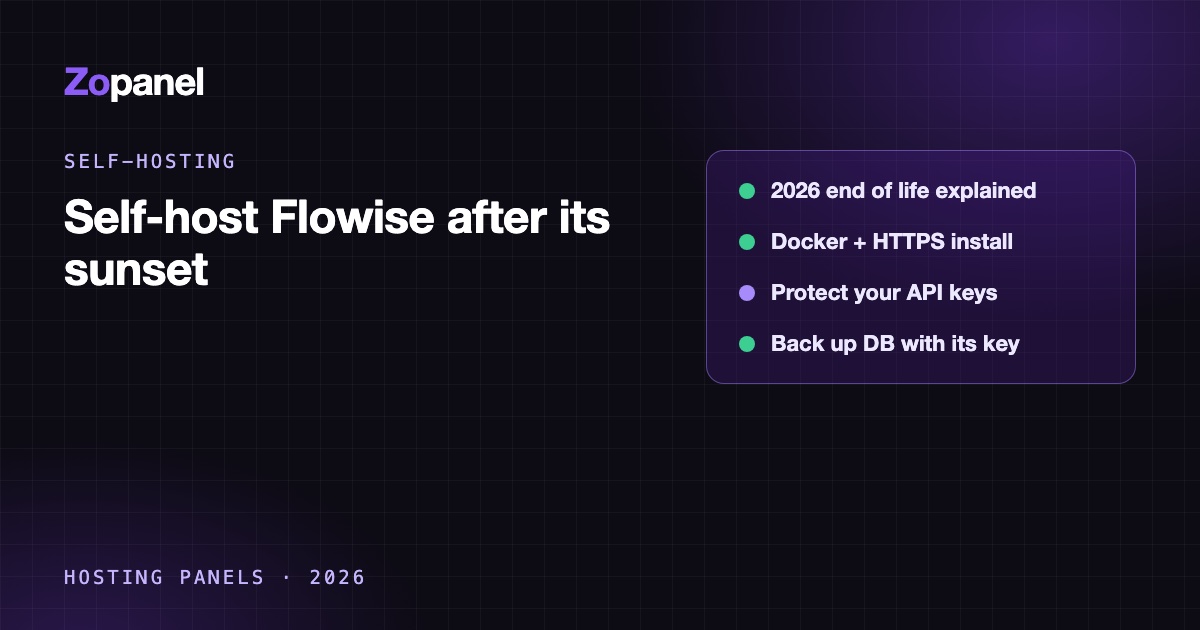
- Flowise's team froze the code on 29 July 2026, archived the repository on 10 August and ended the project on 31 August 2026.
- The code stays available under Apache 2.0 and 3.1.4 is the final release, but no security fixes are coming.
- If you keep running it, publish port 3000 on 127.0.0.1 only, protect every chatflow with an API key, and back up the database with its encryption key.
- For new projects, look at maintained tools such as n8n's AI nodes or Open WebUI first.
You can still self-host Flowise with the flowiseai/flowise Docker image, a volume for /home/node/.flowise, port 3000 published on 127.0.0.1 only and nginx with HTTPS in front, but you should know first that the Flowise team ended the project on 31 August 2026. The repository is archived, the final release is 3.1.4, and no further security fixes are planned. Running an existing Flowise privately and carefully is reasonable; starting a new public product on it is a risk you should take knowingly. ZoPanel's App Store installs Flowise in one click with a setup lock, pinned to version 3.1.2.
This guide covers what happened, whether to self-host Flowise now, the manual Docker install, the ZoPanel route, backups, and alternatives.
What is Flowise, and what happened to it?
Flowise is a visual builder for AI applications: you connect blocks for chat models, prompts, memory, document loaders, vector stores and tools on a canvas, then embed the resulting chatbot on a website or call it through an API. According to its licence file, the code is under Apache 2.0, except an enterprise directory under a commercial licence.
On its sunset page, the team announced:
| Date | What happened |
|---|---|
| 29 July 2026 | Announcement and code freeze; no new pull requests reviewed |
| 10 August 2026 | GitHub repository set to public archive; npm packages and Docker images marked deprecated |
| 31 August 2026 | End of life; the core team leaves Discord and GitHub |
The code stays on GitHub under Apache 2.0, and the team encourages forks. The last release, 3.1.4, was published on 29 July 2026. GitHub shows the repository as archived at the time of writing (October 2026).
Should you self-host Flowise now?
It depends on what you already have:
- You run Flowise flows in production. Keep them running while you plan a move. Upgrade to the final 3.1.4, keep the instance private where possible, and watch for security reports on its dependencies.
- You are starting a new project. Prefer a maintained tool. n8n has AI Agent nodes and connects to hundreds of services; Open WebUI covers chat with documents over OpenAI-compatible APIs. Community forks of Flowise may appear; check that one is actively maintained before relying on it.
- You want a quick internal prototype. Flowise still works for that, behind a login on a private subdomain.
What about Flowise Cloud?
Flowise's home page still lists cloud plans at the time of writing (October 2026): Free with 100 predictions a month, Starter at $35 a month with 10,000 predictions and Pro at $65 a month with 50,000, while the same site carries the sunset banner and does not say how long the cloud service will run. Do not plan new work on it without confirming with the vendor.
How much RAM does Flowise need?
Flowise does not publish a minimum. ZoPanel runs it with a 1024 MB memory limit and 1 CPU. The image itself is large, about 3.4 GB, so leave at least 6 GB of free disk for the install. Memory use grows when you load and split large documents or keep an in-memory vector store, so a 2 GB VPS is a sensible start, more if you process big files. Model calls happen at the provider (OpenAI, Anthropic, Google and others), so they cost API credit, not server RAM.
Option 1: Self-host Flowise by hand with Docker
For a VPS without a panel. Install Docker Engine from Docker's repository (commands in our n8n guide).
Step 1: Compose file
Based on the project's own docker/docker-compose.yml, which mounts the data folder at /home/node/.flowise and runs as the non-root node user:
sudo mkdir -p /opt/flowise/data && cd /opt/flowise
sudo chown -R 1000:1000 data
sudo nano compose.yaml
services:
  flowise:
    image: flowiseai/flowise:3.1.4
    restart: unless-stopped
    ports:
      - "127.0.0.1:3000:3000"
    environment:
      - PORT=3000
      - DATABASE_PATH=/home/node/.flowise
      - SECRETKEY_PATH=/home/node/.flowise
      - BLOB_STORAGE_PATH=/home/node/.flowise/storage
      - LOG_PATH=/home/node/.flowise/logs
      - DISABLE_FLOWISE_TELEMETRY=true
    volumes:
      - ./data:/home/node/.flowise
    entrypoint: /bin/sh -c "sleep 3; flowise start"
Pin 3.1.4 rather than latest: it is the final release, and pinning makes that explicit. Keeping the database, the encryption key and uploads in one folder makes backups simple.
sudo docker compose up -d
sudo docker compose logs -f
Step 2: nginx and HTTPS
server {
    listen 80;
    server_name flow.example.com;
    client_max_body_size 100m;

    location / {
        proxy_pass http://127.0.0.1:3000;
        proxy_http_version 1.1;
        proxy_set_header Upgrade $http_upgrade;
        proxy_set_header Connection "upgrade";
        proxy_set_header Host $host;
        proxy_set_header X-Forwarded-For $proxy_add_x_forwarded_for;
        proxy_set_header X-Forwarded-Proto $scheme;
        proxy_buffering off;
        proxy_read_timeout 300s;
    }
}
proxy_buffering off lets streamed answers reach the browser as they are generated, and client_max_body_size allows document uploads. Run sudo certbot --nginx -d flow.example.com, then open the domain and create the administrator on the Setup Account screen at once.
Step 3: Lock it down
An unmaintained app holding your model API keys deserves extra care:
- Protect every chatflow's API with a key from API Keys, and restrict embeds to your own domains in the chatflow's security settings.
- Set a spending limit at each model provider. Every message to a public chatbot is billed to your key.
- Restrict access by IP in nginx (
allowanddeny) if only your team uses the editor. - Never expose port 3000 directly; Docker's port rules bypass UFW.
Option 2: Flowise with ZoPanel (one click)
On a ZoPanel server, Flowise is in the App Store (full guide):
- Point the domain's A record to the server (for example
flow.example.com). - Open App Store and click Install on the Flowise card. Enter the Domain; administrators choose the Owner. Leave Free SSL (Let's Encrypt) on.
- Click Install and follow the task log. The first start takes one to two minutes.
ZoPanel keeps the database, encryption key, uploads and logs in one folder and turns telemetry off (DISABLE_FLOWISE_TELEMETRY=true).
The setup lock. The first person to open a new Flowise creates its administrator, so ZoPanel keeps it private and visitors see "This app is being set up":
- Open Websites, choose the domain and go to the Docker tab.
- When the status is
running, click Open the app (only for me). - On Setup Account, enter a name, email and a password of at least 8 characters with upper- and lower-case letters, a digit and a special character. Sign in.
- Back on the Docker tab, click Setup finished — open to everyone.
Limits to know:
- The catalog pins Flowise 3.1.2, not the final 3.1.4, and Update to latest pulls that pinned image.
- ZoPanel does not configure email for Flowise, so password reset links do not work. Store the admin password safely.
- Containers cannot reach
localhostor private networks. An Ollama server, or PostgreSQL, Redis or Qdrant on the same server, will not work; use public model APIs and hosted vector databases instead. Your own websites on the server are reachable through their public domain. - The 1024 MB limit can be reached when processing large documents; split them or use a hosted embeddings service.
Given the end of life, use this route for private or internal flows, not for a new public product.
Backing up Flowise
The data folder holds database.sqlite (users, chatflows, credentials, chat messages, API keys), encryption.key, uploaded files and logs. The database and the key belong together: a database restored without its key fails with "Credentials could not be decrypted".
Manual install:
cd /opt/flowise
sudo docker compose stop
sudo tar czf /root/flowise-$(date +%F).tar.gz -C /opt/flowise data
sudo docker compose start
Also export important chatflows from the canvas menu (Export Chatflow) as a portable copy; credentials are not included.
ZoPanel: app data is not in account backups. Use Back up now on the Backups card of the Docker tab, plus a daily or weekly Schedule as administrator; the container is paused for a few seconds so SQLite is consistent.
Encrypt every copy and keep it off the server, because the archive contains the key that unlocks all your stored API keys. See website backup strategy.
Conclusion
Flowise is still easy to self-host: one container, one data folder and an HTTPS proxy. What changed in 2026 is that it is no longer maintained, so treat it as legacy software: run the final release, keep it private, protect API keys and back up the database with its key. For new AI workflows, start with a maintained tool. ZoPanel's App Store, included in the Free plan, also offers n8n and Open WebUI with the same one-click install, SSL and isolation; see App Store features:
curl -fsSL https://get.zopanel.net | sudo bash
Frequently asked questions
Is Flowise dead?
The Flowise team ended the project on 31 August 2026 and archived the GitHub repository. The code remains available under Apache 2.0 and still runs, but there will be no new official releases or security fixes.
Can I still use Flowise for free?
Yes. The Apache 2.0 code and the final 3.1.4 Docker image remain available, and self-hosting costs only the server plus your model provider's API charges. Features in the enterprise directory are under a commercial licence.
How much RAM does Flowise need?
Flowise does not publish a minimum. ZoPanel runs it with a 1 GB limit, and a 2 GB VPS is a sensible start; processing large documents needs more. The Docker image is about 3.4 GB, so keep enough free disk.
Can Flowise use local models like Ollama?
On a manual install, yes, if Ollama runs where the container can reach it. On ZoPanel, no: app containers are blocked from localhost and private networks, so use a public model API.
What should I use instead of Flowise?
For automations and AI agents connected to other services, n8n is a maintained alternative. For a private ChatGPT-style interface with document chat, Open WebUI fits. Check the licence and activity of any fork before moving production work to it.
Install ZoPanel free
One command on a fresh Ubuntu or Debian server. Up and running in minutes.
Install in 5 minutesKeep reading
How to self-host n8n on a VPS with Docker, HTTPS and backups
Self-host n8n on a VPS with Docker behind nginx and HTTPS, correct webhook URLs, workflow backups and safe updates, or install it in one click with ZoPanel.
Self-host Open WebUI on a VPS: your own private ChatGPT
Self-host Open WebUI on a VPS as a private ChatGPT: Docker, nginx, HTTPS, OpenAI-compatible APIs or Ollama, safe defaults, by hand or with ZoPanel.
How to run Docker apps securely on a VPS: 9 things to get right
Run Docker apps securely on a VPS - localhost-only ports, user namespaces, memory limits, network isolation and SSL - with sample configs and the ZoPanel way.