The 3-2-1 website backup strategy, applied to a real VPS
A practical 3-2-1 website backup strategy for a VPS: what to back up, how often, where, ransomware-proofing, restore tests, restic commands and ZoPanel.
Key takeaways
- The 3-2-1 rule means three copies of your data, on two different storage systems, with one copy away from the server's location.
- A backup on the same VPS protects against mistakes and malware, not against losing the server.
- An attacker with root can read the S3 key stored on the server, so use versioning, object lock or restricted delete rights on the remote bucket.
- A backup that has never been restored has not been proven to work.
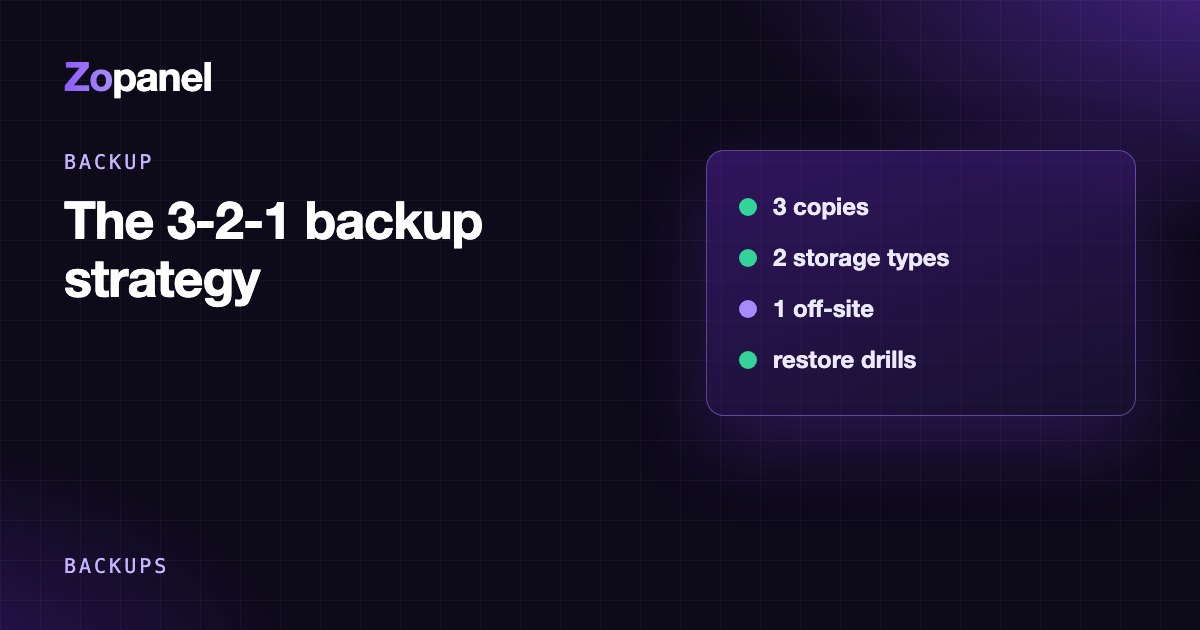
A 3-2-1 website backup strategy means always having three copies of your data, on two different storage systems, with one copy off-site, away from where the server lives. For a website on a VPS, that translates to: the live site, a backup on the server itself for fast restores, and an encrypted copy pushed to S3-compatible storage at a different provider. Add one condition the original rule leaves out: you must have restored from it successfully at least once.
This article covers what to back up (more than most people think), how often for different kinds of sites, how to stop an attacker from deleting your backups too, how to do it yourself with restic, and how ZoPanel maps 3-2-1 onto features it already has.
What is the 3-2-1 backup rule?
The 3-2-1 rule is usually credited to photographer Peter Krogh, who popularised it in his book on digital asset management, and it has since become the most quoted backup principle:
| Part | Original meaning | Applied to a VPS |
|---|---|---|
| 3 copies | The original plus two backups | Live site + backup on the server + backup off the server |
| 2 storage types | For example disk and tape | Two systems that fail independently: the VPS disk and object storage |
| 1 off-site | Kept at another location | Storage at a different provider or region from the VPS |
The point is not the numbers. It is that no single incident can wipe out every copy at once: a failed disk, an outage at your VPS provider, an accidental delete, a buggy plugin overwriting the database, or ransomware encrypting your files.
What should a website backup include?
Many people back up public_html and the database, then discover what is missing during a restore. The full list:
- Website files: code, themes, plugins, images and user uploads.
- Databases: MariaDB/MySQL, PostgreSQL. Dump them properly (for example with
--single-transaction); copying the live database files often produces a broken backup. - Email: customer mailboxes, if the server runs mail.
- DNS zones: if DNS is hosted on your server.
- Configuration: nginx virtual hosts, PHP settings, cron jobs, panel configuration.
- Keys and secrets:
.envfiles, DKIM keys, the password that decrypts your backups. An encrypted backup without its key is worthless.
Let's Encrypt certificates can be reissued in minutes, so they do not strictly need backing up.
How often should you back up? Start from RPO and RTO
Two questions decide the schedule:
- RPO (Recovery Point Objective): how much data can you afford to lose? Daily backups mean losing up to almost 24 hours.
- RTO (Recovery Time Objective): how long can the site be down while you restore?
| Site type | Suggested frequency | Why |
|---|---|---|
| Brochure site, rarely updated blog | Files and database daily | Content changes little |
| News site, busy blog | Database every few hours, files daily | New posts every day |
| WooCommerce, anything taking orders | Database hourly | A lost day of orders is lost revenue |
| Hosting many customers | Nightly for every account, more frequent database backups where needed | Balances storage and risk |
For retention, the common model keeps daily, weekly and monthly copies, for example 7 daily, 4 weekly and 6 monthly. Malware and data corruption are often noticed late, by which time every daily backup is already affected.
On-server vs off-server copies: what's the difference?
An on-server copy restores fastest, uses no bandwidth, and saves you in the most common situations: a deleted file, a plugin update gone wrong, a site injected with malware. But it lives on the same disk as the website. Lose the VPS and you lose it too.
An off-server copy is what saves you when the whole server is gone. Put it with a different provider from your VPS, not just another region of the same one: a suspended account, a billing problem or a provider-wide incident affects everything you keep there. Provider snapshots are a good extra, but they do not replace an off-site copy.
Stopping an attacker from deleting your backups
This is the weak spot of most backup setups: if the server pushes backups to S3, the server holds the S3 key. An attacker with root reads that key and can empty the bucket. Layers of defence:
- A key scoped to one bucket, never a key with rights over the whole storage account.
- Bucket versioning with a lifecycle rule that expires old versions after N days. A delete then only adds a "delete marker", and the previous version stays recoverable for N days.
- Object lock (for example AWS S3 Object Lock): nobody can delete an object before its retention date, even with valid keys. Check whether your provider supports it, and note it can clash with backup tools that prune old copies themselves.
- Pull-based backups: a separate server pulls the data, and the web server has no rights on that storage at all.
- Encrypt before upload, so the storage provider, or anyone holding the bucket key, sees only encrypted data.
Doing 3-2-1 yourself with restic
restic is an open-source backup tool: incremental, deduplicated, encrypted, with S3 support. On Ubuntu 24.04 and Debian 12, install it with sudo apt install restic. An example for a VPS with websites and MariaDB:
# /root/restic.env (chmod 600)
export RESTIC_REPOSITORY="s3:https://s3.example-provider.com/my-backups/web1"
export RESTIC_PASSWORD_FILE="/root/.restic-password"
export AWS_ACCESS_KEY_ID="key-limited-to-this-bucket"
export AWS_SECRET_ACCESS_KEY="..."
source /root/restic.env
restic init                                        # first run only

# databases: a consistent dump streamed straight into restic
mariadb-dump --single-transaction --all-databases \
  | restic backup --stdin --stdin-filename all-databases.sql

# website files and configuration
restic backup /var/www /etc/nginx /etc/php

# keep 7 daily, 4 weekly, 6 monthly snapshots
restic forget --keep-daily 7 --keep-weekly 4 --keep-monthly 6 --prune

# verify the repository and re-read a random 2% of the data
restic check --read-data-subset=2%
Put this in a script, run it from a systemd timer or cron, and alert when it fails. Backups silently failing for three months is more common than anyone admits. Keep the restic password off the server (in a password manager): without it nobody can decrypt the repository. For S3 setup details, see backing up a VPS to S3.
The 3-2-1 strategy with ZoPanel
ZoPanel has several backup types that work together, so your job is mostly to turn them on and store the keys in the right place:
| Copy | In ZoPanel |
|---|---|
| Copy 1: live data | Websites, databases and mail on the server |
| Copy 2: on the server, fast restore | Full account backups daily or weekly at 02:00 (keep 1 to 90, default 7); nightly restic incremental snapshots at 01:00 (7 daily, 4 weekly, 6 monthly by default); database backups every hour, every 6 hours or daily |
| Copy 3: off the server | Settings → Remote backups uploads every backup to S3 (AWS, Cloudflare R2, Backblaze B2, Wasabi, MinIO and others), encrypted with XChaCha20-Poly1305 before upload. Requires a Pro license. |
Safety mechanisms worth knowing:
- Before each backup, ZoPanel checks free disk space and refuses to start with less than 1 GB or 5% free, so a backup can never fill the disk and take sites down. Every archive gets a SHA-256 checksum that is verified again before any restore.
- Every Saturday at 05:00, ZoPanel checks the restic repository structure and reads back 2% of the data; if the check fails, administrators get a Backup failed alert.
- The configuration backup (
.zpb) holds panel settings, packages, admin logins, DKIM and DNS keys, and is uploaded to S3 daily when remote backups are on. With the recovery key, you can rebuild the whole server on a new VPS. See the disaster recovery docs. - Security Center warns when backups do not leave the server, and when no backup has succeeded in 48 hours.
- Customers can set their own schedules and copy to their own S3 storage, adding a copy that is independent of the hosting provider's bucket.
The one thing you must do yourself: write down the recovery key (Backups → Disaster recovery → Show key) and the incremental backup key, and keep them off the server. Lose the server without the key and the data on S3 cannot be decrypted by anyone. Details in the backup docs.
Restore testing: the step everyone skips
Once a quarter, rent a temporary VPS for a few hours and run the "server lost" drill:
- Build a fresh system using only what you keep off the server (S3 credentials, recovery key).
- Restore one website and its database from off-site storage.
- Open the site, log into the admin, check images, the latest order, the contact form.
- Note how long it took. That is your real RTO, not the one you guessed.
If any step gets stuck, you have found the gap without paying for it with a live site.
Conclusion
A 3-2-1 website backup strategy is not complicated: one copy on the server for fast restores, one encrypted copy at another provider to survive losing the server, the decryption key kept somewhere else again, and a test restore every quarter. The hard part is discipline: alerts when a backup fails, and never letting the only copy of the key live on the server.
ZoPanel includes full, incremental, database and configuration backups; on-server backups work on the Free plan, and encrypted remote backups to S3 are part of Pro. See pricing.
Frequently asked questions
What is the 3-2-1 backup rule?
Three copies of your data (the original plus two backups), on two different storage systems, with one copy away from the server's location. The goal is that no single incident can destroy every copy at once.
Is a backup on the same VPS enough?
No. An on-server backup restores quickly after a mistake or malware, but if the VPS or its disk is lost, the backup goes with it. Always keep at least one copy off the server, ideally at a different provider.
How often should I back up a website?
It depends on how much data you can afford to lose. Rarely updated sites are fine with daily backups; shops should back up the database hourly. Keep weekly and monthly copies too, because problems are often found late.
How do I stop hackers from deleting my backups?
Use an S3 key limited to one bucket, enable versioning or object lock on the storage, and encrypt before upload. The strongest option is a separate server that pulls backups, so the web server has no delete rights at all.
How often should I test restoring a backup?
At least once a quarter, on a temporary VPS, using only what you keep off the server. A backup that has never been restored has not been proven to work.
Install ZoPanel free
One command on a fresh Ubuntu or Debian server. Up and running in minutes.
Install in 5 minutesKeep reading
Best control panel for WordPress hosting in 2026
The best control panel for WordPress: page cache, staging, safe updates and isolation compared across cPanel, Plesk, CyberPanel, CloudPanel and more.
CloudPanel alternatives with email, DNS and resellers
A CloudPanel alternative makes sense when you need email, DNS or reseller hosting. Compare HestiaCP, aaPanel, Virtualmin, DirectAdmin and ZoPanel.
Coolify vs a hosting control panel: which one do you need?
Coolify vs cPanel-style hosting panels: what Coolify, Dokploy and CapRover do, what a panel does, and how to choose for Docker apps, PHP sites and email.