Why a hosting control panel should never run as root
Privilege separation, per-account sandboxes, user namespaces for Docker and defense in depth: how to design a hosting panel so one bug does not hand over the server.
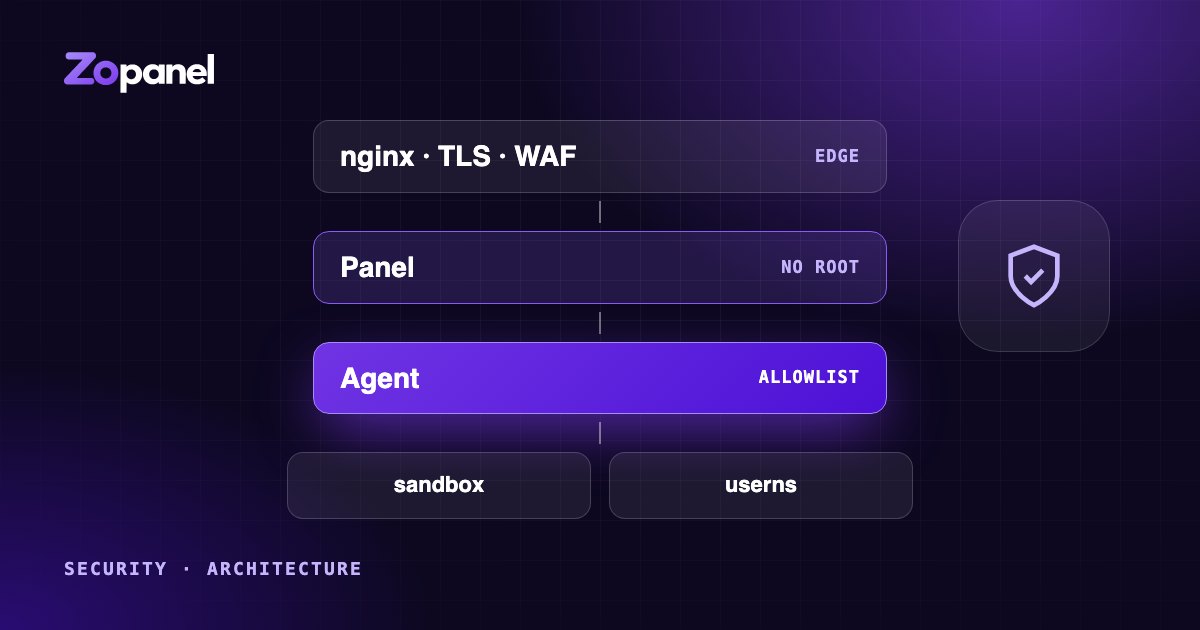
Key takeaways
- A panel that runs as root turns one web bug into full control of the server.
- Privilege separation keeps the web panel unprivileged and gives a small root agent a fixed list of checked actions.
- Customer work runs as the customer, inside a per-account sandbox.
- Docker containers belong in user namespaces, so root in a container is not root on the host.
A hosting control panel is one of the most attractive targets on the internet. It is reachable from anywhere, it accepts input from hundreds of customers who are not all careful (or honest), and it holds the power to change everything on the server: every website, every database, every mailbox.
For historical reasons, many panels give their web interface root privileges, or a broad way to borrow them. That is convenient, because the panel can do anything it needs. It also means that a single bug in code that parses web requests can become full control of the server and of every customer on it.
This article explains a different approach, the one we took in ZoPanel, and the design principles behind it. None of these ideas are new; they come from decades of operating-system and network security practice. What matters is applying them consistently.
Assume the panel will have a bug
Every serious security design starts with an uncomfortable assumption: some part of the code will have a vulnerability. A web panel has thousands of request handlers, file uploads, archive extraction, template rendering, and integrations with dozens of system tools. Somewhere in there, sooner or later, there will be a mistake.
So the question is not only "how do we avoid bugs?" but "what does an attacker get when they find one?" The answer should be: as little as possible.
That leads to three principles:
- Least privilege: every component runs with only the rights it needs.
- Privilege separation: the code that talks to the internet is not the code that holds power.
- Defense in depth: several independent layers, so one failure is not enough.
Privilege separation: a panel without root
The idea is old and well understood: give each component the least privilege it needs, and nothing more. In ZoPanel, the web panel (HTTPS server, API, user interface, database, background jobs) runs as its own unprivileged system user. Its systemd service adds further restrictions: it cannot gain new privileges, sees most of the file system as read-only, cannot read home directories, and holds no special kernel capabilities.
Hosting work does need root, of course: creating system users, writing web server configuration, issuing certificates, reloading services. That work is done by a separate root agent, which the panel talks to over a local socket. The agent is deliberately narrow:
- It accepts only a fixed list of actions. There is no "run this command" action. If an action is not on the list, it does not exist.
- It checks every parameter again. The agent does not trust the panel. Usernames, domains, paths and limits are validated on the root side, even though the panel already validated them.
- It knows who is calling. The socket accepts connections only from the panel's user or from root, checked by the kernel, not by a password.
- It never builds shell commands from user input. Programs are run directly with a fixed argument list, a fixed
PATHand a fixed environment, so there is nothing for shell injection to inject into. - It rejects unexpected input. Requests with unknown fields are refused outright.
The result: if an attacker fully compromises the web panel, they hold an unprivileged process that can ask the agent to do things the panel was already allowed to do, with parameters the agent will check again. That is a bad day, but a very different one from root on every customer's server.
Do customer work as the customer
Even root code should not act with root's rights when it touches customer data. A classic attack on hosting panels is the symlink trick: a customer creates a link in their own folder that points at another customer's files, or at a system file, and waits for a root-run backup, restore or permission fix to follow it.
The defense is to drop privileges before touching customer files. In ZoPanel, file operations in a customer's home run as that customer, so the kernel itself refuses access to anything the customer could not reach. Backups and database dumps are read as the account, ownership changes walk directories without following links, and the web server is told not to follow links that belong to another owner. When the operating system enforces the boundary, a mistake in our code does not open it.
Sandbox every account
Privilege separation protects the server from the panel. Customers also need protection from each other: on shared hosting, the most likely attacker is a compromised website next door.
Each ZoPanel account runs in its own systemd sandbox:
- its own Linux user, with a home directory other accounts cannot read;
- its own PHP pools, running as that user;
- its own control-group slice with limits on CPU, memory, number of processes and disk I/O, so one site cannot starve the rest;
- processes hidden from other accounts;
- disk quotas.
Build jobs and Node.js or Python apps run in the same kind of sandbox, with the rest of the system read-only. Databases follow the same rule: each database has its own user or role, and in shared Redis each account sees only its own keys and cannot run scripts. Mail sending limits are enforced at a gate that account processes cannot bypass, so one compromised site cannot get the server's IP onto a blocklist.
User namespaces for Docker
Docker containers are convenient for apps like n8n or Uptime Kuma, but a container started the usual way runs as root on the host as far as the kernel is concerned. A container escape then becomes host root.
ZoPanel runs App Store containers in user namespaces: root inside the container is mapped to an unprivileged user on the host. A process that breaks out of the container finds itself with no special rights on the server. App data is kept out of reach of hosting accounts, and ownership changes on container volumes never follow links, so a container cannot trick the host into changing files outside its own data.
Defense in depth: the layers around the core
Separation and sandboxes are the core. Around them, independent layers make each attack step harder:
- Authentication: strong password hashing, two-factor authentication with recovery codes and throttling before codes are checked, codes that cannot be replayed, and optional IP allowlists, including for connections from the server itself.
- Scoped API tokens: a provisioning token for a billing system can create and suspend accounts, nothing more. Tokens are revoked when their owner changes password or 2FA.
- Reseller boundaries: a reseller cannot give customers more than the reseller's own plan.
- Configuration allowlists: custom web server directives are parsed against an allowlist rather than pasted in.
- Secrets encrypted at rest in the panel database.
- Signed updates: the root agent verifies the release signature itself, without trusting the panel's check, installs atomically and rolls back if the new version is unhealthy.
- A tamper-evident activity log, hash-chained and optionally sent to a remote syslog server, so an intruder cannot quietly edit history.
- A web application firewall and malware scanner, with quarantined files moved to a folder only root can read.
No single layer is perfect. Together, they turn "one bug equals total compromise" into "an attacker needs several unrelated failures in a row".
What this costs
Privilege separation is not free. Every new feature that needs root has to be designed as a narrow action with validated parameters, rather than a quick shell command. Running customer work as the customer means more careful code around files and processes. Sandboxing every account means paying attention to performance, which is why PHP pools in ZoPanel start on demand and sleep when idle.
We think the trade is clearly worth it. The extra effort happens once, during development. The benefit applies every day, on every server, for every customer.
What makes a hosting panel secure: questions to ask
Whether you use ZoPanel or not, these questions reveal a lot about a panel's security:
- Which processes run as root, and which of them handle network input?
- How does the web interface request privileged actions? Is there a fixed list?
- Are parameters validated again on the privileged side?
- Does root code ever follow links inside customer folders?
- How are customers isolated from each other: files, processes, memory, CPU, mail, databases?
- How are containers isolated from the host?
- How are updates signed and verified, and what happens if one fails?
- Is there a published security policy and a way to report vulnerabilities?
You can read how we handle reports in our Security policy, and how isolation affects density in our capacity measurements.
Frequently asked questions
Why should a hosting panel not run as root?
Because the web interface parses input from the internet and from every customer. If it runs as root, any bug in that code can give an attacker control of the whole server and every site on it.
What is privilege separation in a control panel?
The web panel runs as an ordinary user. Tasks that need root go to a separate agent over a local socket, and the agent only performs a fixed set of actions after checking every parameter again.
How does ZoPanel isolate customer accounts?
Each account runs in its own sandbox with its own PHP processes, file permissions and resource limits, and customer containers run in user namespaces.
Install ZoPanel free
One command on a fresh Ubuntu or Debian server. Up and running in minutes.
Install in 5 minutesKeep reading
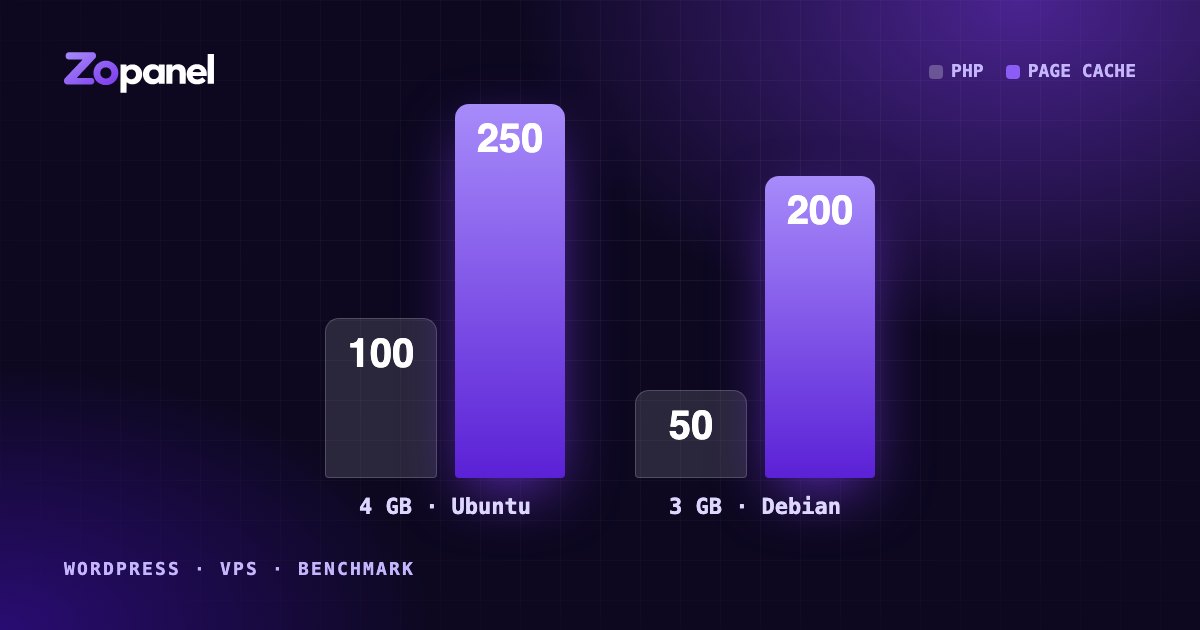
How many WordPress sites can a 4 GB VPS host? Our measurements
We loaded real WordPress sites and apps onto 4 GB and 3 GB VPS servers until they broke. Here is what fit, why page cache matters most, and how to plan.
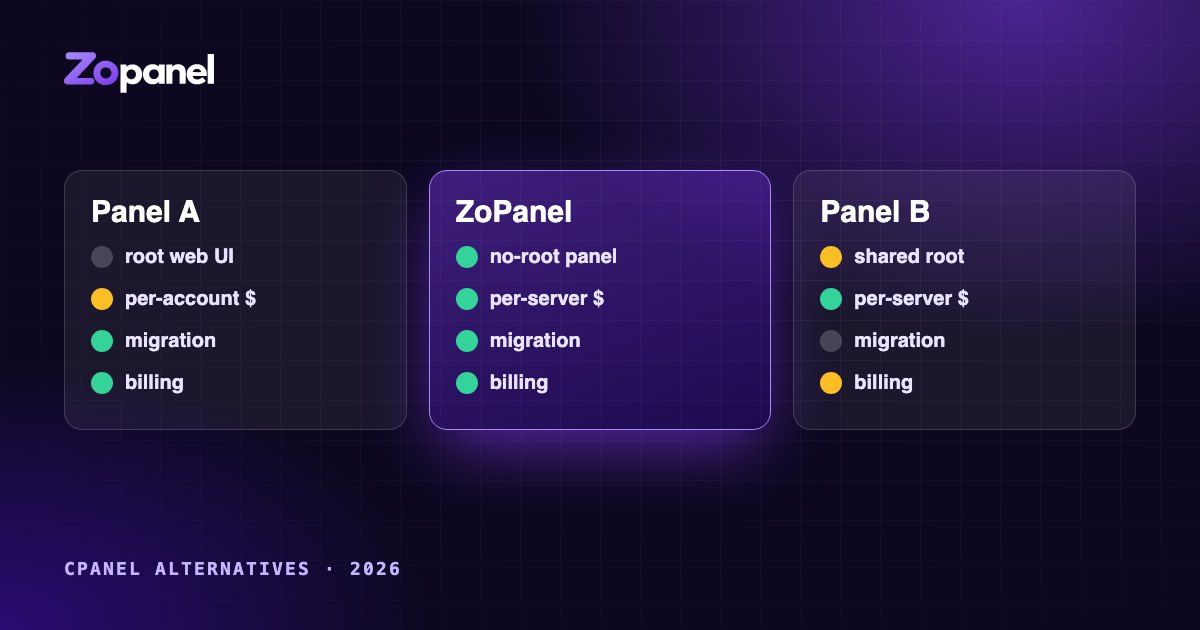
Choosing a cPanel alternative in 2026: what to look for
A practical guide to comparing hosting control panels in 2026: security architecture, account isolation, per-account vs per-server pricing, migration and billing.