How many WordPress sites can a 4 GB VPS host? Our measurements
We loaded real WordPress sites and apps onto 4 GB and 3 GB VPS servers until they broke. Here is what fit, why page cache matters most, and how to plan.
Key takeaways
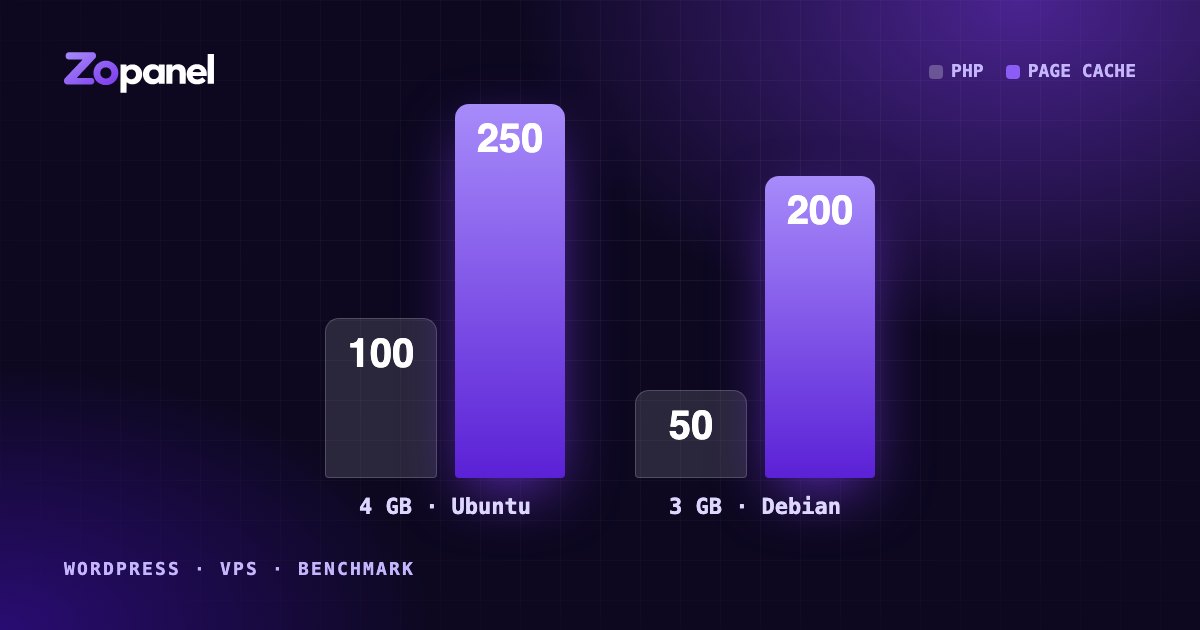
- A 4 GB Ubuntu VPS hosted 100 WordPress sites without page cache and 250 with it, plus 30 other apps.
- A 3 GB Debian VPS hosted 50 sites without page cache and 200 with it.
- Page cache is the single biggest factor: cached pages skip PHP and the database.
- After deliberate overload, the servers recovered on their own within 2 to 5 minutes.
"How many sites can I put on this server?" is the first question every hosting company asks, and the usual answers ("it depends", or a number with no method behind it) are not much help when you are pricing plans. So we measured it, on ordinary VPS servers, with real WordPress installations and a realistic mix of traffic, and we kept pushing until the servers fell over.
This article explains what we tested, what we found, and what it means for your own servers. The short version: on a 4 GB VPS, page cache is the difference between about 100 WordPress sites and about 250.
The results
| Server | Without page cache | With page cache |
|---|---|---|
| Ubuntu 24.04, 4 GB RAM, 4 vCPU | 100 WordPress sites | 250 WordPress sites |
| Debian 12, 3 GB RAM | 50 WordPress sites | 200 WordPress sites |
In every row, the server was also running 30 other applications at the same time. A site count counts only if the whole server stayed smooth: the WordPress sites, the apps, and the mail, database and panel services around them.
When we deliberately overloaded the servers well past these numbers and then removed the load, they were back to normal within 2 to 5 minutes.
How we tested
Capacity numbers are only useful if you know how they were produced, so here is the method.
The servers. Two ordinary cloud VPS servers: Ubuntu 24.04 with 4 GB of RAM and 4 vCPUs, and Debian 12 with 3 GB of RAM. Both ran ZoPanel with its default, automatically sized settings and the full set of services (web, PHP, MariaDB, PostgreSQL, mail, DNS). The Debian server used the newer 6.12 kernel from Debian backports, because the memory compression described below needs Linux 6.8 or newer.
The sites. Every WordPress site was a real installation, each in its own hosting account, with its own PHP pool and database, created through the panel the same way a customer would.
The other 30 apps. Hosting servers rarely run WordPress alone, so every test step also carried 30 applications: 10 Node.js apps with MariaDB databases, 5 Python (Flask) apps with PostgreSQL, and 15 PHP applications (Joomla, phpBB and OpenCart).
The traffic. Load came from a separate VPS, using an open-loop generator: requests arrive on schedule whether or not the server keeps up, which is how real visitors behave. Real hosting traffic is very uneven, so the sites were split into three groups:
- 10% busy sites, at 30 page requests a minute each;
- 30% light sites, at 1 request a minute;
- 60% nearly idle sites, at 1 request every 45 minutes.
That works out to about 15 page requests a second across 250 sites. It may sound modest, but it is spread across hundreds of separate accounts, each with its own PHP pool and database, which is far harder for a server than the same traffic on a single site. When page cache was off, every one of those requests was a full WordPress page build.
What "smooth" meant. A step passed only if busy sites answered 95% of requests in under one second, light sites answered half their requests in under a second, and fewer than 0.5% of requests failed. We added sites in steps until a step failed, and report the last step that passed.
Why page cache changes everything
Without page cache, every visit to a WordPress page runs PHP: WordPress loads, plugins load, the database is queried, and HTML is built from scratch. That is CPU work, and on 4 vCPUs it runs out. On the Debian server without cache, the step after 50 sites was limited by CPU, not memory.
With page cache, the web server keeps a copy of each finished page and hands it straight to the next visitor. PHP does not run at all for those requests. A cached page costs a tiny fraction of a generated one, so the same CPU serves far more sites. On the Ubuntu server, the cached steps up to 250 sites stayed well inside the limits, and the server was nowhere near saturated on CPU.
Two details make the cache safe to leave on for shared hosting:
- Instant purge. When a WordPress site's content changes, its cached pages are cleared, so visitors do not see stale posts.
- Background refresh. Expired pages are refreshed in the background while the previous copy is still served, so a burst of visitors to an expired page does not turn into a burst of PHP work.
Page cache does not help everyone. Logged-in users, shopping carts and checkout pages must bypass it. A WooCommerce shop with many logged-in customers behaves more like the "without cache" column than the "with cache" one.
Where the memory goes
Once CPU is handled by the cache, memory becomes the limit. A few hundred sites means a few hundred PHP pools, and each PHP worker holds tens of megabytes while it runs. Three things kept memory under control in these tests.
PHP pools that sleep. In ZoPanel each account's PHP pool starts with its first request and stops after it has been idle. In the traffic mix above, 60% of sites see a visitor only every 45 minutes, so most pools are asleep most of the time and use no PHP memory at all. Compiled PHP code is cached on disk, so waking a pool is quick.
Memory compression instead of swap. On Linux 6.8 and newer, customers' idle memory is compressed in RAM rather than written to disk. Swapping to disk on a busy VPS is what turns a slow server into an unresponsive one; compression keeps the working set in RAM at a fraction of its size. Our earlier builds, with a hard memory limit and no swap, held fewer cached sites on the same 4 GB server. Compression is what moved the cached result up to 250.
A fixed reserve for the system. The panel sizes itself to the server and keeps a reserve of memory for MariaDB, mail, the web server and the panel itself, so a customer surge cannot starve the services everyone depends on. You can see this memory plan in the panel's settings.
What happens past the limit
Every server has a breaking point. What matters is what happens when you reach it, because a traffic spike, a bot or a bad plugin will take you there sooner or later.
We tested this directly: several minutes of heavy, uncached load on hundreds of sites at once, far beyond the smooth numbers, then back to normal traffic. A naive setup does not recover when the load stops. PHP pools keep working through long queues of requests whose visitors gave up long ago, and memory stays exhausted.
ZoPanel keeps PHP request queues short, so overload fails fast instead of piling up. When customers' memory is badly short, requests that have waited too long are dropped and those visitors see a short "busy" page; the next visit starts normally. With that in place, both test servers were back to normal 2 to 5 minutes after the overload stopped.
Why your numbers will differ
Treat these results as a well-documented reference point, not a promise. Your servers will differ in ways that matter:
- Plugins and themes. A heavy page builder or a plugin that runs queries on every page can multiply the cost of an uncached page.
- Logged-in traffic. Membership sites, forums and shops bypass the page cache for many visitors.
- Traffic shape. Our mix had 10% busy sites. If a quarter of your customers run campaigns at the same time, plan for fewer sites.
- Bots. Aggressive crawlers can hit uncached URLs (search pages, filters) all day.
- The VPS itself. "4 vCPU" from one provider is not the same as from another, and disk speed varies widely.
- Kernel version. Without Linux 6.8 or newer, memory compression is not available and you should expect lower cached numbers.
Practical tips
- Turn page cache on for every WordPress site that can use it. It is the single biggest factor. Check that cached pages are actually being served after you install a site.
- Run a recent kernel. Ubuntu 24.04 ships one. On Debian 12 consider the backports kernel, keeping in mind that it sits outside Debian's main security support; Debian 13 is the simpler choice for new servers.
- Let the server run WordPress's scheduled tasks. Visitor-driven wp-cron adds work to page views and fails on quiet sites. ZoPanel switches it to a server timer for new installs.
- Leave headroom. Do not sell up to the number where your server just passed. Spikes, backups and updates all need room.
- Watch the right signals. Per-account usage history shows which customers grow; response times at the 95th percentile tell you more than averages.
- Move heavy shops to their own plan or server. One busy WooCommerce store can consume what dozens of brochure sites need.
- Measure your own workload. The Free plan runs 10 websites and 10 databases with every feature, enough to profile your typical customer site before you commit to a density.
The takeaway
A 4 GB VPS is a capable hosting server. Without page cache, plan on WordPress sites in the tens to about a hundred; with page cache, a recent kernel and PHP that sleeps when idle, a few hundred is realistic, alongside other applications. Whatever density you choose, make sure the server recovers by itself when you get it wrong.
To set this up on your own server, see WordPress performance, the system requirements and the WordPress guide. For a second opinion on caching, the WordPress documentation on caching is a good start.
Frequently asked questions
How many WordPress sites can a 4 GB VPS host?
In our tests, about 100 WordPress sites without page cache and about 250 with page cache on a 4 GB Ubuntu 24.04 VPS, while 30 other applications ran on the same server. Your number depends on traffic, plugins and cache hit rate.
Does page cache really make that much difference?
Yes. A cached page is served without starting PHP or querying the database, so memory and CPU per visit drop sharply. In our measurements it raised capacity by 2.5 to 4 times.
What happens when a server is overloaded?
With ZoPanel, PHP pools that cannot keep up are shed and restarted, idle PHP sleeps, and memory is compressed before it runs out. In our overload tests the servers returned to normal within 2 to 5 minutes without anyone stepping in.
Install ZoPanel free
One command on a fresh Ubuntu or Debian server. Up and running in minutes.
Install in 5 minutesKeep reading
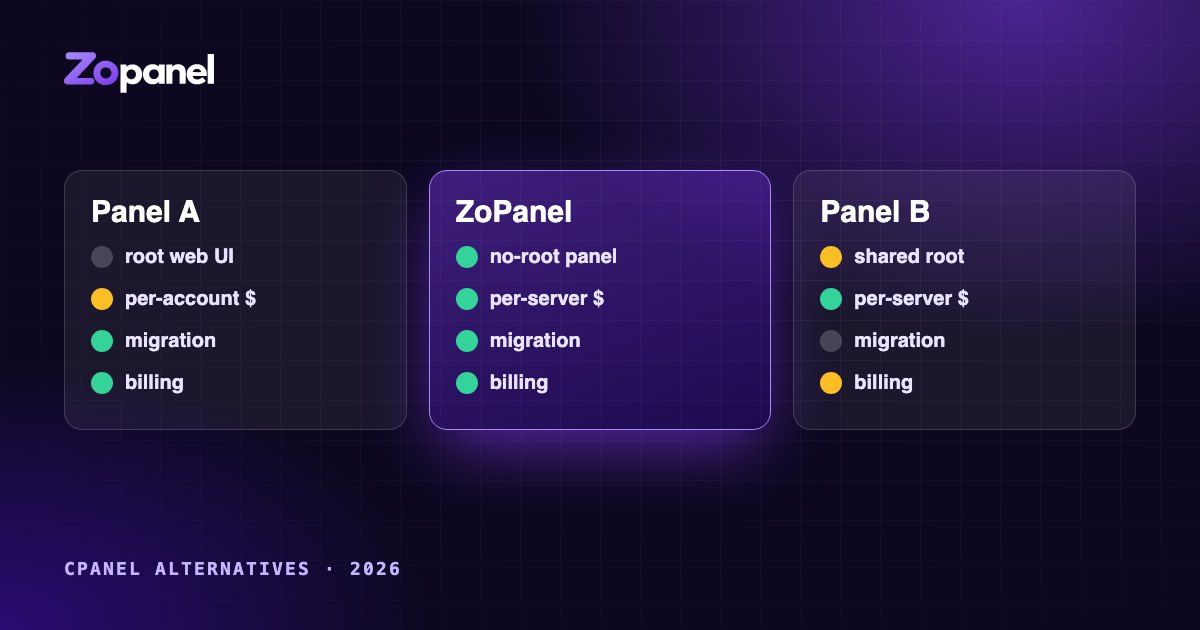
Choosing a cPanel alternative in 2026: what to look for
A practical guide to comparing hosting control panels in 2026: security architecture, account isolation, per-account vs per-server pricing, migration and billing.
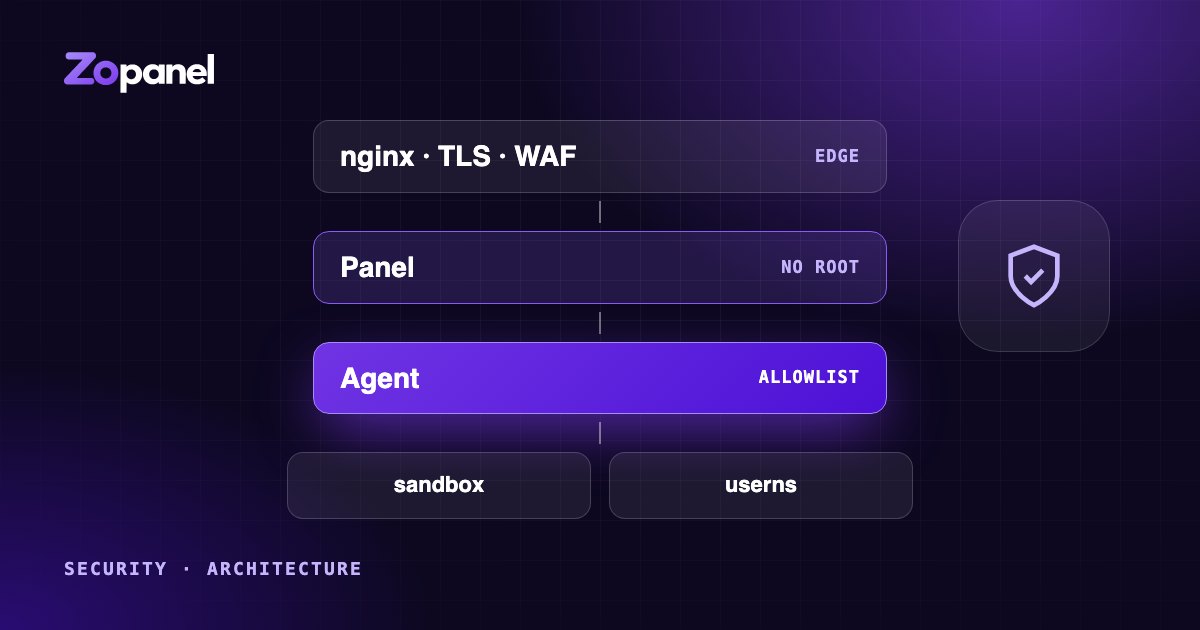
Why a hosting control panel should never run as root
Privilege separation, per-account sandboxes, user namespaces for Docker and defense in depth: how to design a hosting panel so one bug does not hand over the server.