How many hosting accounts fit on one server? Real numbers
How many hosting accounts per server, from our own load tests on 4 GB and 3 GB VPS, plus how disk, mail, apps and overselling change the number you can sell.
Key takeaways
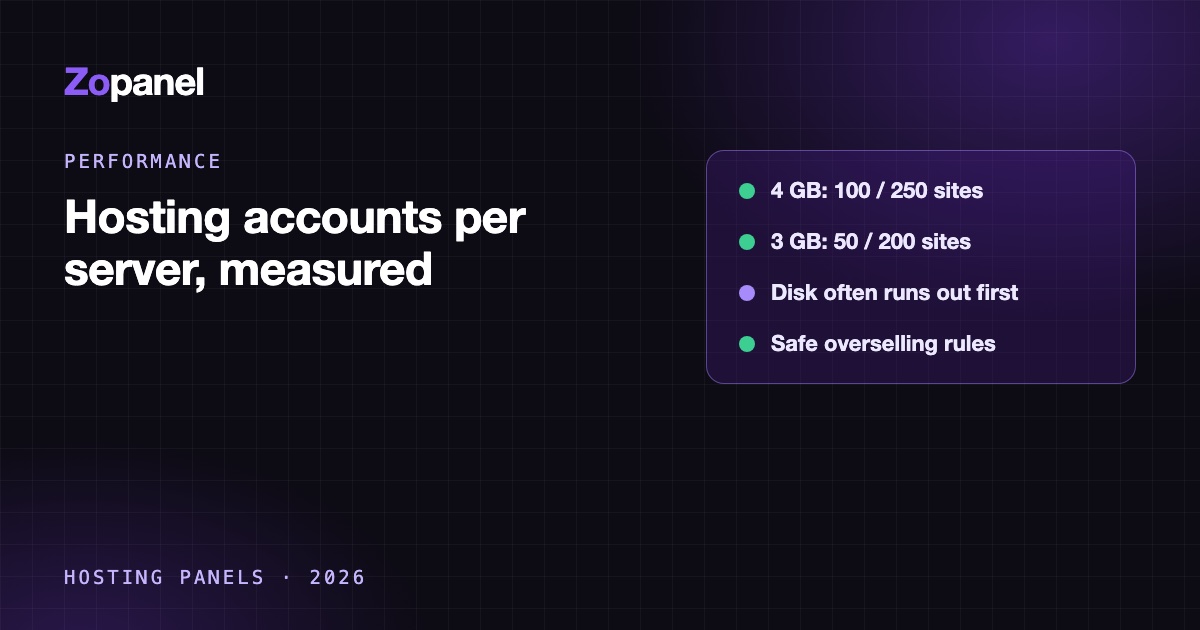
- In our tests a 4 GB, 4 vCPU Ubuntu VPS ran 100 WordPress accounts smoothly without page cache and 250 with it, each in its own account, alongside 30 other apps.
- A 3 GB Debian VPS ran 50 without cache and 200 with cache; at 100 uncached sites it was CPU-bound.
- On small VPS plans, disk often runs out before RAM or CPU if you do not oversell storage.
- Sell roughly half to two thirds of measured capacity, then raise it as you watch real usage.
How many hosting accounts fit on one server depends mostly on how many page views must run PHP. In our tests, a 4 GB, 4 vCPU Ubuntu 24.04 VPS ran 100 WordPress accounts without page cache and 250 with page cache, each in its own hosting account, while 30 other applications ran beside them. A 3 GB Debian VPS ran 50 and 200. For selling, plan on about half to two thirds of those numbers, and check disk space, which on small VPS plans often runs out first.
We published the full WordPress test in how many WordPress sites a 4 GB VPS can host. This article takes the same measurements and turns them into a planning question hosting companies actually ask: how many accounts can I sell on this server, when accounts are a mix of sites, mailboxes and apps?
The measured numbers
Every site in these tests was a real WordPress installation in its own hosting account, with its own Linux user, PHP pool and database, created through the panel as a customer would. Each step also carried 30 other applications: 10 Node.js apps with MariaDB, 5 Python (Flask) apps with PostgreSQL, and 15 PHP applications (Joomla, phpBB and OpenCart).
| Server | Page cache | Accounts (WordPress) | Result |
|---|---|---|---|
| Ubuntu 24.04, 4 GB RAM, 4 vCPU | Off | 50 | Smooth, busy-site p95 224 ms |
| Ubuntu 24.04, 4 GB RAM, 4 vCPU | Off | 100 | Smooth, busy-site p95 386 ms |
| Ubuntu 24.04, 4 GB RAM, 4 vCPU | On | 150, 200, 250 | Smooth, p95 7 to 9 ms, CPU 25 to 34%, no errors |
| Debian 12 (kernel 6.12), 3 GB RAM | Off | 50 | Smooth |
| Debian 12 (kernel 6.12), 3 GB RAM | Off | 100 | Overloaded: CPU-bound at 82%, p95 7.5 s |
| Debian 12 (kernel 6.12), 3 GB RAM | On | 150, 200 | Smooth, no errors |
All runs used ZoPanel's default, automatically sized settings with web, PHP, MariaDB, PostgreSQL, mail and DNS services installed.
How we measured
- Traffic from another VPS, with an open-loop generator: requests arrive on schedule whether or not the server keeps up, as real visitors do.
- Uneven traffic, like real hosting: 10% of sites busy at 30 page requests a minute, 30% light at 1 a minute, 60% nearly idle at 1 request every 45 minutes. That is about 4.6 page requests a second at 50 sites and about 15 a second at 250.
- "Smooth" meant busy sites answered 95% of requests in under one second, light sites answered half their requests in under a second, and fewer than 0.5% of requests failed. We report the last step that passed.
What changed the result
Two changes in the panel moved these numbers, which shows how much the software around the sites matters:
- Memory compression instead of a hard cap. Before, with a hard memory cap and no swap, the 4 GB Ubuntu server collapsed at 200 and 250 cached sites, so its safe number was 150; the Debian server collapsed at 200. With idle customer memory compressed in RAM (Linux 6.8 or newer), both passed. Compression ran at about 3.8 to 3.9 to 1, and no customer memory was written to disk.
- Load shedding. After eight minutes of heavy, uncached overload, the Ubuntu server with 250 sites took 24 minutes to recover with the old settings and 5 minutes with compression plus shedding. The Debian server with 100 sites went from 11 minutes to 2.
From sites to accounts
The tests measure sites. You sell accounts, and an account can hold one site or twenty. Three things decide how many accounts that capacity becomes.
Sites per account. ZoPanel's default packages illustrate the spread: Basic allows 1 website, Business 5, Pro 20 (packages and limits). Most customers on multi-site plans use only some of their allowance, but plan on what your customers actually create, not the limit. Count staging copies too: they are full sites.
How many sites are busy. Our mix had 10% busy sites. If your customers are shops running promotions, or agencies whose clients all launch campaigns in the same week, the busy share is higher and the number of sites falls.
How much traffic bypasses the cache. Logged-in users, carts, checkout and search pages always run PHP. A WooCommerce store with many logged-in buyers behaves like the "page cache off" rows even with the cache on.
A planning example (assumptions, not measurements)
Take the 4 GB Ubuntu server, mostly brochure and small business WordPress sites with page cache on:
- Measured smooth capacity: 250 sites (plus 30 apps).
- Sell half to two thirds of it, the margin we suggest in how to price hosting plans: about 125 to 165 sites.
- Assume your customers average 1.5 sites per account: about 80 to 110 accounts.
If page cache cannot be used for most sites, start from the uncached 100 instead: 50 to 65 sites, or about 35 to 45 accounts at 1.5 sites each. Then check the next limit.
Disk often runs out first
RAM and CPU get the attention, but on small VPS plans disk is frequently the real ceiling. A 4 GiB DigitalOcean Basic droplet comes with an 80 GiB SSD (DigitalOcean); Hetzner's CPX22 with 4 GB of RAM has 80 GB of NVMe (Hetzner).
Suppose you set aside 30 GB for the system, swap, logs and local backups (an assumption; local backups alone can be large). That leaves 50 GB for customers. ZoPanel's Basic package gives 2 GB of disk, Business 10 GB:
| Package sold | Disk each | Accounts that fit in 50 GB, no disk overselling |
|---|---|---|
| Basic | 2 GB | 25 |
| Business | 10 GB | 5 |
| Pro | 30 GB | 1 |
Twenty-five accounts is far below the 80 to 110 the CPU and RAM could carry. So either you oversell disk, which almost every shared host does, or you buy a server with more disk, or you send backups to S3 storage instead of keeping them locally.
Overselling: what is safe and what is not
Overselling means the plans you sold add up to more than the server has. Done carefully, it is how shared hosting stays affordable. The reasoning differs by resource:
- Disk: usually safe to oversell, because most accounts use a fraction of their quota, and usage grows slowly enough to see coming. Watch the real total, alert well before the disk is full, and move growing accounts in time. Kernel-enforced quotas stop any one account from filling the disk.
- RAM and CPU: safe to oversell only if each account is limited. When every account has its own CPU, memory and process limits, a heavy customer slows down their own sites, not the others. Without limits, overselling RAM is a bet that nobody will use what they paid for.
- PHP workers: the limit that matters on busy days. If all packages together allow more PHP processes than RAM can hold, a few busy sites at once can exhaust memory. ZoPanel's Tuning page warns when that is the case.
- Mail: sending limits per account matter more than mailbox count; one hacked site sending spam affects the reputation of every customer on the IP.
The hosting resource limits article covers how these limits are enforced.
What about mail, apps and databases?
We did not run a mail-heavy test, so we will not give you a mailbox number. What we can say from how mail servers work:
- Mailboxes cost disk more than RAM. Large mailboxes and long retention fill disks; count mail quotas in the disk table above.
- Spam and virus filtering costs CPU per incoming message, so a server receiving a lot of mail has less CPU left for PHP.
- IMAP connections hold processes while phones and desktop clients stay connected.
Apps (Node.js, Python, Docker apps) are different from PHP sites because they usually run all the time instead of sleeping when idle. The 30 apps in our tests were always present, so the measured numbers already include a realistic set. A customer running a large always-on app should be counted as several accounts.
Databases grow quietly. Database size counts toward disk, and one large or badly indexed database can use more CPU than dozens of small sites.
How to find your own number
Our numbers are a documented reference point. Your plugins, traffic shape and VPS provider will differ, so measure:
- Build a typical customer site and a typical heavy one, and load test them on the server you plan to sell from.
- Fill the server in steps and watch the 95th percentile response time, not the average.
- Turn page cache on for every site that can use it; it is the biggest single factor.
- Run a recent kernel (Ubuntu 24.04 or Debian 13; see the system requirements) so idle memory is compressed.
- Watch per-account usage history after launch and raise density slowly.
On ZoPanel, each hosting account is its own Linux user with its own PHP-FPM pool and its own systemd slice with CPU, RAM and process limits, and idle PHP pools sleep, which is why hundreds of accounts on a small server are possible (performance).
Conclusion
On a 4 GB VPS we measured 100 WordPress accounts without page cache and 250 with it, with 30 apps alongside; on a 3 GB VPS, 50 and 200. Sell about half to two thirds of that, divide by how many sites your customers really run, and then check disk, which on small plans is often the first limit. Per-account limits are what make overselling safe.
To measure with your own sites, ZoPanel's Free plan runs 3 hosting accounts, 10 websites and 10 databases with every feature, no time limit.
Frequently asked questions
How many websites can one VPS host?
In our tests, a 4 GB, 4 vCPU VPS hosted about 100 WordPress sites without page cache and about 250 with page cache, alongside 30 other apps. A 3 GB VPS hosted 50 and 200. Heavier sites, shops and logged-in traffic lower the number.
How many cPanel accounts can a server handle?
It depends on the workload and on how the panel caches, isolates and limits accounts, more than on the panel's name. The same hardware limits apply to any panel: PHP work per page view, memory per PHP worker, and disk. With cPanel, also check the licence, because its price depends on the number of accounts.
Is it safe to oversell hosting?
Overselling disk is common and usually safe if you watch real usage and alert early. Overselling RAM and CPU is only safe when every account has enforced limits, so one heavy customer cannot slow down the rest.
Does page cache really matter that much?
Yes. In our tests it raised capacity 2.5 times on the 4 GB server and 4 times on the 3 GB server, because cached pages skip PHP and the database entirely. It does not help logged-in users, carts or checkout pages.
What runs out first on a small VPS?
Without page cache, CPU. With page cache, memory becomes the limit, and compression helps. If you do not oversell disk, disk space often runs out before either.
Install ZoPanel free
One command on a fresh Ubuntu or Debian server. Up and running in minutes.
Install in 5 minutesKeep reading
Hosting account resource limits: CPU, RAM and I/O done right
What hosting account resource limits for CPU, RAM, I/O, processes and inodes do, how Linux enforces them, and how to size plans so one site can't sink a server.

Hosting for web design agencies: host client sites profitably
Agency web hosting that makes money: what to charge per client site, a worked margin example, how to set up accounts, and client logins under your brand.
How to price hosting plans: a cost-based formula that works
How to price hosting plans from real costs: cost per account, safe density per server, support time, margin, and tiers that never lose money.