IIS websites
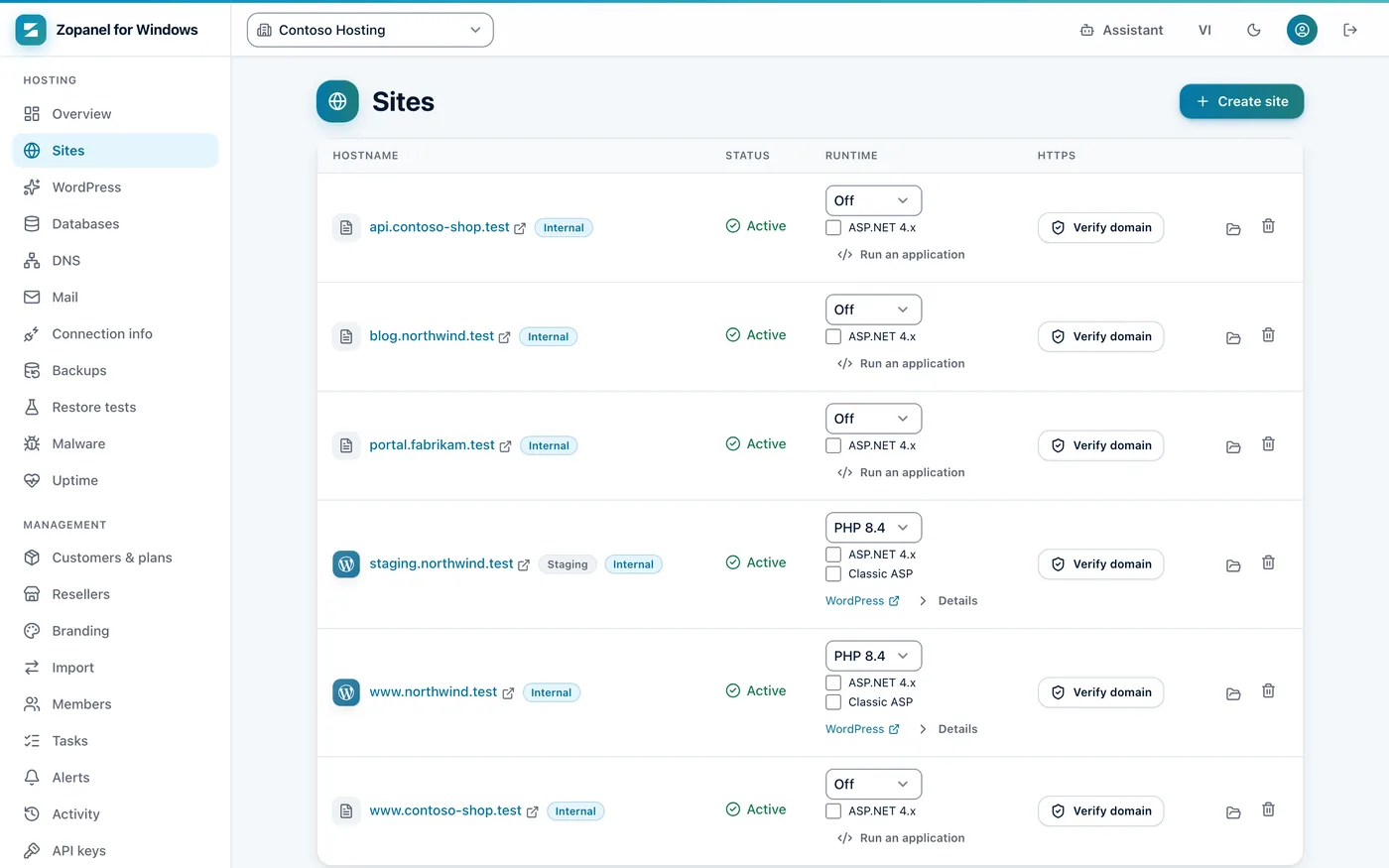
Every site is an IIS site with its own application pool and identity, folder permissions for that identity only, and limits from its plan.
- Domains proven before they are served; aliases, bindings with SNI
- Per-site IIS settings: documents, error pages, MIME, virtual directories
- Application pool settings: recycling, idle, pipeline, CLR, 32-bit
- File manager with per-folder permission levels and a 30-day recycle bin
- FTPS and SFTP accounts per site, no Windows accounts created
- CPU limits in cores and RAM per site; overloaded sites handled by themselves
Guides on this topic
- The best Windows hosting control panel: the options compared
Plesk, SolidCP, the WebsitePanel family, Zopanel for Windows and plain IIS Manager compared on what they do, who they suit and how to choose for your Windows Server.
All you need to host and sell on Windows
PHP, ASP.NET, Node.js and more
PHP 8.3 and 8.4, ASP.NET 4.x and Core, Classic ASP, Node.js and Python on one server, chosen per site. Java and Go are newer and limited.
WordPress & one-click apps
Install WordPress on IIS in one click, update it with a backup and automatic rollback, test in staging, and harden it with an undo.
Databases
MariaDB, MySQL 8.4, PostgreSQL 18 and SQL Server 2022 Express on loopback, with a login per database, imports with a safety copy and Adminer.
Mail hosting on MailEnable with DKIM, SPF and DMARC added for you, quotas, sending limits per plan, TLS and webmail over HTTPS.
DNS
Authoritative DNS on Microsoft DNS: zones served only once proven, templates, DNSSEC and zone transfers to secondary servers.
SSL certificates
Free Let's Encrypt certificates for websites, mail and the panel, renewed automatically, with keys that cannot be exported.